Strategy
1 Day vs 7 Day for Insurance Leads: CRM Matchback and the 25% Rule
By Nick Georgalos · 10 min read · Updated 2026-09-17
1 Day vs 7 Day for Insurance Leads: CRM Matchback and the 25% Rule ! Marketer reviewing attribution timing dashboard Start most life insurance lead generation campaigns on Meta with a 7-day click attribution window, and reserve 1-day click for same-session instant forms or short retargeting tests.

Start most life insurance lead generation campaigns on Meta with a 7-day click attribution window, and reserve 1-day click for same-session instant forms or short retargeting tests. The 7-day window captures the family conversations and multi-day research typical of final expense, IUL, and mortgage protection buyers. Confirm the choice with a CRM matchback rather than trusting the dashboard CPL alone, since the window that predicts qualified pipeline matters more than the one that looks cheapest.
TL;DR:
- Using a 7-day click window is recommended for multi-step insurance funnels involving family and decision-making, as it captures delayed conversions better than a 1-day window.
- When over 25% of qualified leads appear after the first day, switching from 7-day to 1-day click for faster validation can improve testing accuracy.
- Accurate assessment requires matching CRM data with reports, ensuring tracking pixels and Conversions API are functioning properly before comparing attribution windows.
- Testing should focus on actual pipeline results, analyzing CRM conversions over a consistent period to determine which window predicts real pipeline better.
- Campaigns should start with a 7-day click default and switch to 1-day only if data from the CRM confirms most conversions occur within 24 hours.
Table of Contents
- 1 Day vs 7 Day: The Quick Verdict And When To Switch
- How Do Meta’s Attribution Windows Actually Work?
- When Should You Use 1 Day Click Instead Of 7 Day Click?
- Testing 1 Day Click Vs 7 Day Click With Real Pipeline Data
- Campaign Setup Checklist Before You Trust Any Window
- What Retargeting Window Should You Actually Use?
- How We Approach Window Selection In Managed Campaigns
- Let FexAds Set Up And Test Your Attribution Windows
- Sources
- FAQ
1 Day vs 7 Day: The Quick Verdict And When To Switch
Stick with 7-day click as your default for final expense, IUL, and mortgage protection funnels, especially anything with a multi-step landing page or a family decision involved. These are consultative products. People fill out a form, then talk to a spouse, then answer the phone three days later. A 1-day window misses that entire tail.
Three situations flip the recommendation:
- Instant forms that convert fast: if your lead ad or quiz consistently converts within a couple of hours, 1-day click gives you a cleaner read.
- Validation tests: when you want an unambiguous same-session signal to test creative or offer changes quickly, 1-day click removes noise from unrelated browsing.
- Tight retargeting sequences: short, aggressive retargeting flights sometimes need the tighter window to avoid crediting stale interest.
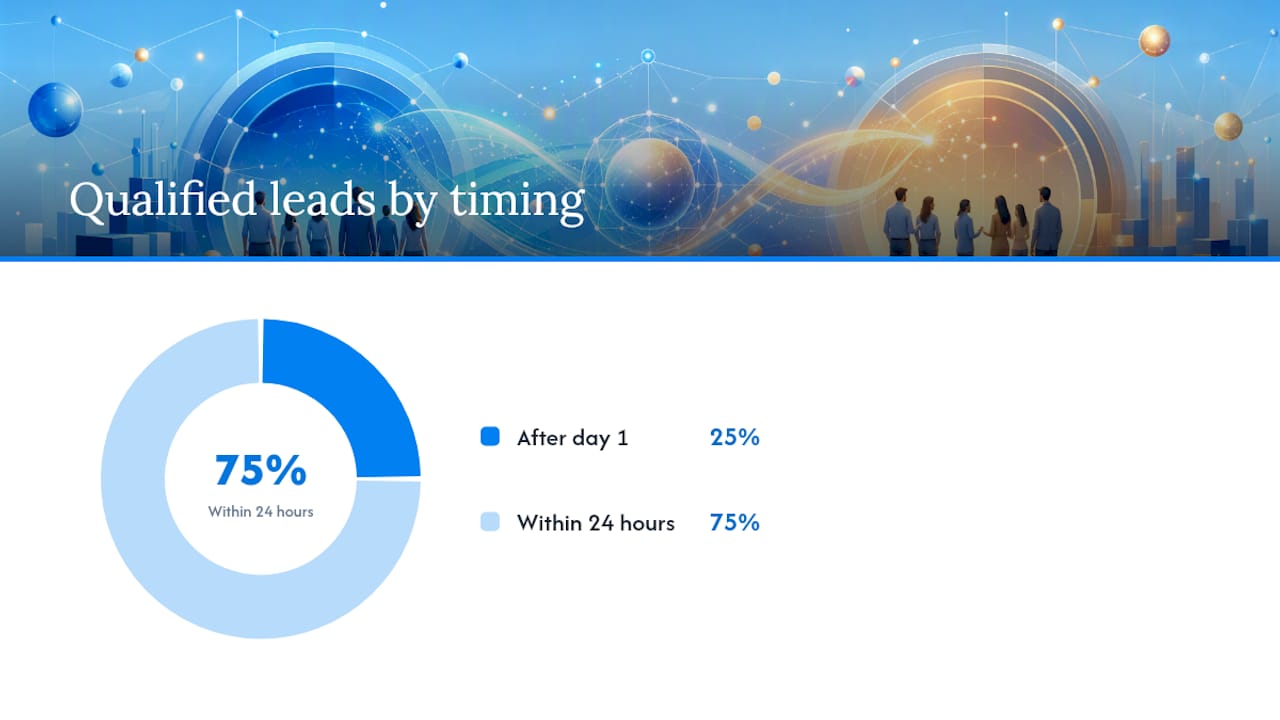
The operational rule is simple: check what share of your qualified leads arrive after day one. Above 25%, 7-day click is the safer default.
How Do Meta’s Attribution Windows Actually Work?
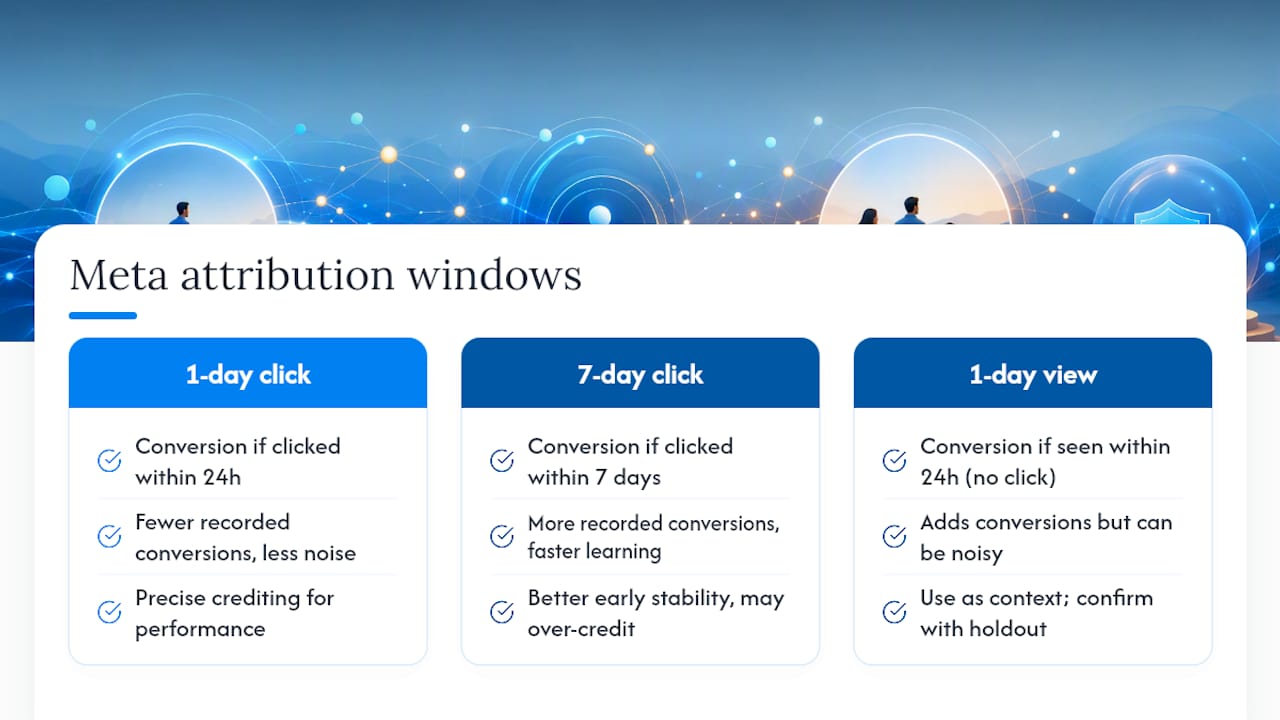
A 1-day click window counts a conversion only if it happens within 24 hours of someone clicking your ad. A 7-day click window extends that credit out to a full week. A 1-day view window credits a conversion to someone who merely saw the ad, without clicking, within 24 hours, and it’s now the longest view-through option Meta offers after 7-day and 28-day view windows were removed from Ads Manager on January 12, 2026.
The window you pick doesn’t just change reporting. It changes what the delivery algorithm learns from. A wider window feeds Meta more recorded conversions, which speeds up learning and stabilizes delivery, but it can also credit conversions that had little to do with the ad itself. A narrow window reduces that noise but can starve the algorithm of enough signal to optimize well, especially in the first few weeks of a new campaign.
View-through data deserves particular skepticism. Someone scrolling past your ad and buying later isn’t the same as someone clicking through and converting. Treat 1-day view as context, not gospel, and confirm any lift it suggests with a proper holdout test.
When Should You Use 1 Day Click Instead Of 7 Day Click?
The right window depends on how your specific funnel behaves, not on a generic best practice. Match the window to how fast your prospects actually move through the funnel.
- Check your average time-to-convert. Pull your CRM timestamps and calculate the median hours between ad click and lead qualification. Under 24 hours points toward 1-day click.
- Measure the delayed-lead share. What percentage of qualified leads show up after the first day? This is the single most useful number an agent can calculate.
- Factor in ticket size and consideration time. IUL and mortgage protection policies usually involve more research and spousal input than a basic final expense inquiry, which pushes toward 7-day click.
- Watch your retargeting behavior. If your warm audiences convert in short bursts after a specific trigger (a phone call, a follow-up email), a shorter window can match that pattern more accurately.
The thresholds hold up well in practice: above 25% of qualified leads converting after day one means 1-day click is undercounting real conversions and probably hurting your optimization.
Pro Tip: Run this calculation separately for each product line. A final expense campaign and an IUL campaign in the same ad account can have wildly different time-to-convert curves, and lumping them together will give you a misleading blended number.
Testing 1 Day Click Vs 7 Day Click With Real Pipeline Data
Pick one primary conversion event before you test anything. A qualified lead, phone answer, or booked appointment works far better than a raw form fill, because form fills include tire kickers and bad numbers that distort window comparisons in both directions.
Run a structured test over 14 to 30 days, or pull historical data if your account has enough volume already:
- Export both the 1-day click and 7-day click reporting columns side by side for the same campaign period.
- Match each recorded lead against your CRM by lead ID, not just by total count.
- Run a holdout group where feasible, or at minimum a media efficiency ratio check, so you’re comparing incremental impact rather than raw attributed volume.
- Score each window on qualified-lead rate and closed-policy rate, not just cost per lead.
Here’s the trap most agents fall into: the window with the lowest reported CPL often isn’t the window that predicts real pipeline. A campaign can show a great cost-per-lead under 1-day click while quietly missing a large batch of leads who called back on day four. Comparing matched CRM conversions instead of dashboard numbers is the only way to catch that gap. The window that wins is the one whose reported leads actually turn into appointments and applications in your pipeline, not the one that flatters your ad account.
Campaign Setup Checklist Before You Trust Any Window
None of this attribution comparison means anything if your tracking is broken underneath it. Before you draw conclusions from either window, confirm the technical foundation.
- Check your Pixel and Conversions API match rate. A low match rate means Meta is losing conversions before attribution even enters the picture, and any window comparison built on that data is unreliable.
- Optimize for a pipeline event, not a raw form submission. Qualifying your form fields (age, coverage amount, state) also improves how cleanly you can matchback leads to CRM records.
- Pace your test flights differently. Short, controlled bursts work for 1-day click validation tests. Smoother, longer-running budgets suit 7-day click optimization, since the algorithm needs time to accumulate signal.
- Split audiences by intent. Cold prospecting can tolerate broader attribution windows since the algorithm needs more data to find new buyers. Retargeting pools, by contrast, often perform better with shorter windows and tighter frequency caps.
Pro Tip: If your Pixel and CAPI event counts don’t roughly match for the same date range, fix that gap before you spend another dollar testing attribution windows. You’re not comparing 1-day vs 7-day at that point, you’re comparing broken data to broken data.
What Retargeting Window Should You Actually Use?
Attribution windows and retargeting lookback windows are two different settings, and mixing them up costs agents money. Your retargeting audience definition (how far back someone has to have engaged to stay in your warm pool) doesn’t have to match your reporting window at all.
For high-intent warm audiences, a 1 to 3 day retargeting lookback keeps your pool focused on people who are still actively thinking about coverage. Layer in a broader 3 to 7 day shelf for people who engaged but haven’t converted, so you’re not abandoning slower movers entirely. Pair the short lookback with fast creative rotation and a frequency cap, or you’ll burn through your warmest prospects with repetitive ads inside a week.
Even if your primary reporting stays on 7-day click, keep the actual retargeting sequences tight and let your CRM data, not the ad platform’s attribution, tell you whether the sequence is working.
How We Approach Window Selection In Managed Campaigns
Most agents ask us to pick a window and move on. We don’t, because the wrong default costs more than a slightly slower launch. Our approach starts every account on 7-day click, runs a CRM matchback within the first few weeks, and only shifts to 1-day click when the data actually supports it, usually for tight validation tests on new creative. Attribution windows aren’t a settings-page decision. They’re a pipeline decision, and the pipeline data should make the call, not a default checkbox.
— Nick
Let FexAds Set Up And Test Your Attribution Windows
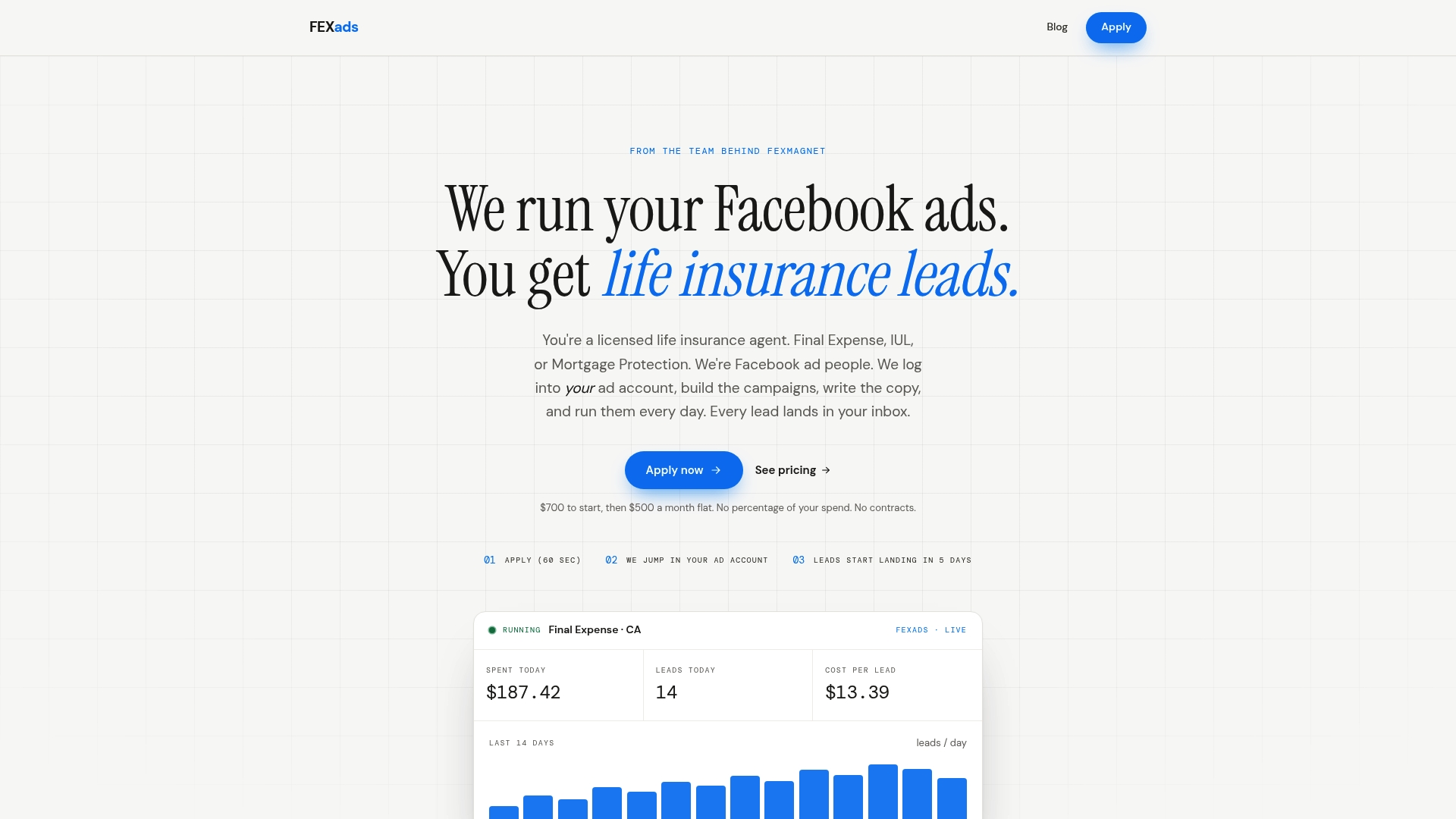
Facebook ad campaign management can be tailored for licensed life insurance agents selling final expense, IUL, and mortgage protection, with leads generated directly in the agent’s own ad account rather than shared or sold to multiple agents.
That means the attribution testing described above happens on data you own permanently, not on a rented lead list you’ll lose access to next month. Our setup includes Pixel and CAPI installation, compliance checks, and ongoing daily optimization, so the window comparison is actually trustworthy instead of built on shaky tracking. If you want to run this test properly in your own account, check the state-specific ad setups FexAds offers or start with the cost-per-lead calculator to see what a properly matched-back CPL looks like for your market before you commit to a window.
Sources
- Meta Ads Attribution Settings for 2026: How to Choose Measurement Options for Lead Generation Campaigns - Techourse
- Meta Ads Attribution for Lead Generation: How to Evaluate Conversion Windows, Signal Quality, and Campaign Learning - BlogWolf
- Meta Ads Attribution Settings Best Practices 2026
FAQ
What Is The Difference Between 1-Day Click And 7-Day Click?
A 1-day click window only credits conversions happening within 24 hours of an ad click, while a 7-day click window credits any conversion within a full week of that click, capturing far more delayed activity common in insurance funnels.
Should Final Expense Campaigns Use 1 Day Or 7 Days?
Final expense campaigns should generally default to 7-day click, since many qualified leads convert after a family conversation or callback that happens beyond the first 24 hours.
Does The Attribution Window Affect My Reported Cost Per Lead?
Yes, a wider window like 7-day click typically shows a lower reported cost per lead because it captures more delayed conversions, which is exactly why matching that number against CRM data matters before trusting it.
Can FexAds Help Me Test Which Window Works Best?
Management of Pixel and Conversions API setup, event qualification, and CRM matchback testing can support licensed life insurance agents, integrating window comparison into ongoing campaign management rather than treating it as a one-time decision.
Recommended
Want us to run your FE ads?
$700 to launch, custom website included. $500 a month flat after that.
Apply now