Strategy
Stop Losing Leads After 90 Days: Facebook Lead Ownership for Agents
By Nick Georgalos · 13 min read · Updated 2026-09-25
Stop Losing Leads After 90 Days: Facebook Lead Ownership for Agents ! Agent exporting lead records before retention expires Advertisers own their Facebook lead data in every practical sense, but Meta holds the actual form submissions inside its own systems until someone moves them out.

Advertisers own their Facebook lead data in every practical sense, but Meta holds the actual form submissions inside its own systems until someone moves them out. That gap is where leads get lost. If you haven’t exported or connected an automated sync yet, check your Leads Access settings today, because unrecoverable data loss is closer than most agents realize.
TL;DR:
- Lead data remains stored on Meta’s servers until you manually export or sync it via an API, risking permanent loss after a 90-day window if not backed up.
- Manual exports are practical for small volumes but become unmanageable at scale, whereas automated connections like CRM integrations enable continuous, scalable data transfer.
- Permission issues, such as expired tokens or restricted access, often silently block lead flow into your systems and require regular audits to maintain connectivity.
- Building a governance system with automated syncs, backup exports, permissions audits, and regular testing helps prevent silent data loss and ensures ongoing lead ownership.
- Using campaigns within your own ad account from the start guarantees clear ownership, better governance, and ongoing control over lead data, avoiding data sharing or leakage.
Table of Contents
- Data Ownership for Facebook Leads: Where Submissions Actually Live
- How to Download and Sync Your Facebook Leads
- The 90-Day Retention Window and What Happens After It Closes
- Permission Traps That Quietly Cut Off Your Lead Flow
- Building a Governance Setup That Actually Protects Your Data
- What Agents Get Wrong About Owning Their Leads
- Get Exclusive Leads Built Directly in Your Own Ad Account
- Sources
- FAQ
Data Ownership for Facebook Leads: Where Submissions Actually Live
The phrase “data ownership Facebook leads” gets thrown around loosely, but it hides a real technical distinction. Meta’s contract terms treat the advertiser as the party with rights to use the information a lead submits, but the raw data sits on Meta’s servers, not yours, until you pull it out. Ownership on paper and possession in practice are two different things, and only one of them protects your business.
Three places hold your lead data inside Meta’s ecosystem, and each shows you something different:
- Leads Center gives you a form-level view: every submission tied to a specific Instant Form, with timestamps and raw field answers.
- Ads Manager shows leads at the campaign and ad-set level, which is where you connect a submission back to the creative, audience, or budget that generated it.
- Page inbox captures leads that arrive as message threads rather than structured form data, which is easy to overlook if your team checks Leads Center but not Messenger.
Meta’s own documentation confirms leads collected through Lead Ads appear in Leads Center and can be downloaded as CSV files directly from these interfaces. That’s the mechanism. But the data doesn’t move anywhere on its own. It stays put until a human clicks export or a connector pulls it through an API.
This matters for attribution too. A standard export includes campaign ID and ad ID, which lets you trace a lead back to the exact ad that produced it. What often gets left out, unless you configure it deliberately, is the parameter data that tells you which specific creative variant, audience segment, or landing experience triggered the click. If you’re not tagging campaigns with clear naming conventions from the start, you’ll have a spreadsheet full of leads and no way to tell which ad actually earned its keep.
How to Download and Sync Your Facebook Leads
Getting your leads out of Meta’s systems takes one of two forms: a manual pull you do yourself, or an automated pipeline that runs without you thinking about it. Both work. Only one scales.
Manual CSV export, step by step:
- Open Leads Center from your Page or Ads Manager account.
- Select the lead form or date range you want.
- Click the download option to generate a CSV, which typically includes the lead’s name, contact details, form answers, campaign ID, and submission timestamp.
- Open the file and check that every field mapped correctly before you import it anywhere else.
That process works fine for a handful of leads a week. It falls apart the moment volume increases, because someone has to remember to do it, and someone eventually forgets.
Automated options solve that problem in different ways:
- Native CRM connectors (built into platforms like HubSpot or Salesforce) sync leads in near real time with minimal setup, though they depend on stable API tokens that expire and need renewal.
- Google Sheets sync is a lightweight option for smaller operations that want a running record without paying for a full CRM integration.
- Marketing API and webhooks offer the most control and the fastest delivery, but they require someone with development experience to build and maintain the connection.
- Third-party sync services bundle much of this into a subscription product, trading a monthly fee for less technical overhead. Guides comparing these download and sync methods generally recommend automating early rather than waiting until manual exports become unmanageable.
Before you trust any of these routes with real leads, run a checklist: confirm your account permissions allow exports, map every form field to the correct CRM field, verify campaign attribution survives the transfer, and test the whole pipeline with a dummy submission inside 24 hours of setup.
Pro Tip: Submit a test lead using your own contact information the same day you set up a new connector. If it doesn’t show up in your CRM within a few minutes, you’ve caught a broken pipeline before a real prospect fell through it.
The 90-Day Retention Window and What Happens After It Closes
Meta doesn’t keep lead submissions available forever. Multiple guides referencing Meta’s own retention guidance point to a 90-day window for downloading or retrieving leads through the API or Leads Center. After that window closes, the data isn’t just harder to find. It’s gone, with no support ticket or account escalation that brings it back.
For an agent running final expense or IUL campaigns, that expiration date is a business risk hiding in plain sight. A lead who filled out a form in January and got missed in the follow-up shuffle is still recoverable in February. By April, if nobody exported that record, it’s permanently unavailable, along with whatever revenue it might have generated.
The consequences compound. Lost leads mean wasted ad spend, since you already paid to generate that click and that submission. They also distort your cost-per-lead-to-close math, because leads that quietly expired never show up in your close-rate denominator, making your real performance look better or worse than it actually is. And every lost lead is a data point you can’t use to build lookalike audiences or refine targeting later.
The fix isn’t complicated. Pair an automated sync with a manual weekly export as a backup. If the automation fails silently, the weekly habit catches it before 90 days run out.
Permission Traps That Quietly Cut Off Your Lead Flow
Most Leads Access problems trace back to one of three sources: role mismatches on the Page, customized permission settings that block a team member or partner, or expired tokens on a connector nobody’s checked in months. Default Page admin rights typically include full lead access, but the moment someone customizes those permissions, whether to restrict a contractor or add a new agency partner, exports can quietly stop working for people who used to have them.
Practical diagnostics on this problem point to a consistent pattern: leads look fine at the campaign level, but the CRM shows nothing, and the cause is almost always permissions or a stale token, not a Meta outage. Here’s what typically breaks and how to fix it:
- Leads Access was customized after setup, blocking a team member who had access before. Fix: review Leads Access under Page settings and confirm every person or system that needs data still has it.
- A connector’s API token expired. Fix: check your integration’s connection status and re-authenticate; most platforms flag this, but few send a loud enough alert.
- A new team member or agency was never granted access to the ad account or Page. Fix: audit who actually has admin or advertiser-level roles versus who needs them.
- A connector was added after the campaign had already been running, missing earlier submissions entirely. Fix: check the connector’s start date against your campaign’s launch date and manually export the gap.
Pro Tip: Run a monthly fake-submission test. Submit a lead with a clearly fake name like “Test Lead Monthly,” then trace it through Ads Manager, your connector’s activity log, your CRM, and your sales team’s inbox. Wherever the trail stops is where your pipeline is broken.
Building a Governance Setup That Actually Protects Your Data
Real ownership means building a system that doesn’t depend on anyone remembering to click “export.” The most reliable architecture is a webhook or API connection feeding directly into your CRM, with a backup export running on a schedule, plus logging on connector events so a dropped token gets caught in days, not months.

On the privacy side, Meta’s Lead Ads terms require advertisers to provide a Privacy Policy link and disclose how collected information gets used. That’s not optional boilerplate. Guidance on privacy policies for Facebook lead ads recommends spelling out exactly what you collect, how you use it, and offering an opt-out path where the law requires one. If your form pulls in health or financial details relevant to insurance products, add a consent checkbox for anything beyond the core purpose of processing the inquiry, and keep language in your lead form consistent with your published policy.
Here’s a practical sequence to follow, in order:
- Map every form field to its CRM equivalent before the campaign launches, not after leads start arriving.
- Timestamp every lead and tag it with a source identifier that survives the export.
- Build deduplication logic so the same lead submitted twice doesn’t get worked, and billed for, as two separate prospects.
- Run a weekly export regardless of your automated sync, as a hedge against silent failures.
- Audit the entire pipeline quarterly: permissions, token status, field mapping, and where leads land.
An automation checklist built for small businesses covers similar ground and can help you structure the webhook to CRM handoff if you’re building it yourself.
| Practice | Why it matters | How often |
|---|---|---|
| Automated CRM sync | Prevents 90-day data loss | Continuous |
| Manual export backup | Catches silent sync failures | Weekly |
| Leads Access audit | Finds permission mismatches | Monthly |
| Fake-lead pipeline test | Reveals broken connectors fast | Monthly |
| Full governance review | Confirms compliance and mapping | Quarterly |
What Agents Get Wrong About Owning Their Leads
The agents who lose leads almost never lose them all at once. It happens gradually: a connector token expires quietly, an agency handoff leaves nobody checking Leads Access, and three weeks later someone notices the CRM looks thin. By then the early submissions are already outside the recoverable window.
The bigger issue is what happens to audience value when that data disappears. Every lead that flows cleanly into your own systems feeds future targeting, whether that’s refining a lookalike audience or understanding which offer resonates with which segment. Exclusive, in-account lead generation keeps that feedback loop intact because nothing gets shared or rented out to competing agents working the same names. That continuity is the real argument for building ownership into the campaign structure from day one, not bolting it on after a data gap forces the conversation.
— Nick
Get Exclusive Leads Built Directly in Your Own Ad Account
Fexads sets up every campaign inside the agent’s own ad account from the start, so there’s no handoff where ownership gets murky and no shared lead lists sold to three other agents in your market. Setup includes pixel installation, CRM integration, and audience targeting built around your specific final expense, IUL, or mortgage protection offer, with daily optimization and compliance checks handled on an ongoing basis.
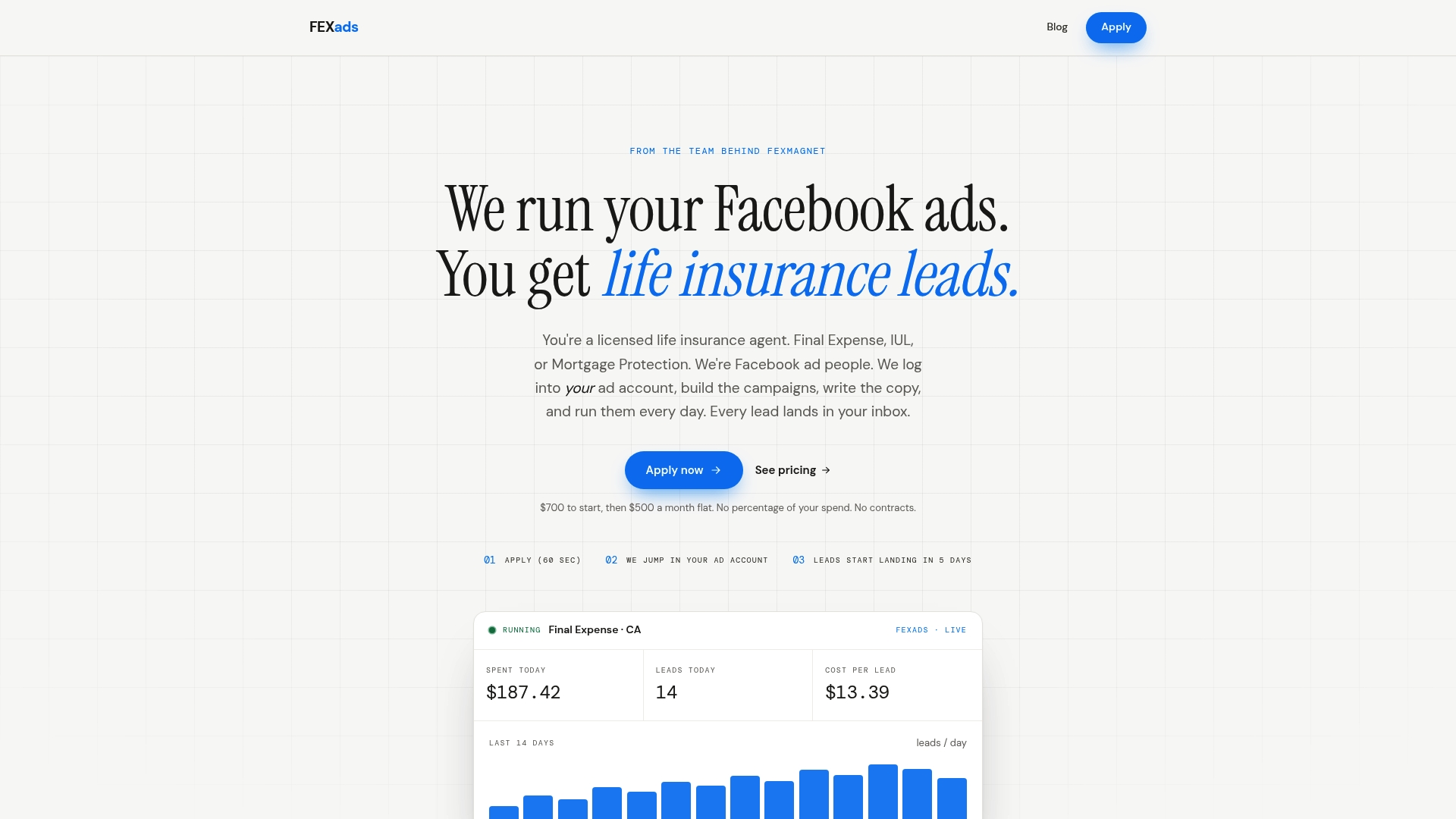
That means the governance work covered above, syncing, permission audits, attribution tracking, gets built into your account structure instead of left for you to manage solo after the campaign launches. A one-time setup fee of $700 covers the custom build, followed by $500 per month for ongoing management, billed separately from ad spend. If you’re ready to stop wondering where your leads went and want them flowing into a system you actually control, start your setup on the Fexads payment page.
Sources
- About Lead Ads Terms and security | Meta Business Help
- Facebook Lead Ads: Where the Leads Actually Go
- Privacy policy for Facebook lead ads (TermsFeed)
FAQ
Why am I getting fake leads on Facebook?
Fake or low-quality leads usually come from broad targeting settings, forms with too few qualifying questions, or bot activity that Meta’s filtering hasn’t caught. Tightening your audience targeting and adding a qualifying question to your lead form typically cuts down on junk submissions.
Where do Facebook leads go?
Submitted leads land in Meta’s Leads Center and Ads Manager, where they’re available for download as CSV files. From there, they stay inside Meta’s systems until you export them manually or connect an automated sync to your CRM.
How do I stop Meta from selling my data?
Meta’s Lead Ads terms state that lead data collected through Facebook is provided by users with permission to share it with the specific advertiser running the form, not sold on to third parties. Your obligation as the advertiser is to publish a clear Privacy Policy and disclose exactly how you use the information collected.
How do I collect leads from Facebook?
You collect leads through Lead Ads using Instant Forms built in Ads Manager, which submit responses directly into Leads Center without sending the prospect to an outside landing page. Setting up automated pixel tracking and CRM sync alongside your campaign, the kind of setup Fexads builds into every account, keeps those submissions flowing into a system you control instead of sitting inside Meta waiting to expire.
Recommended
Want us to run your FE ads?
$700 to launch, custom website included. $500 a month flat after that.
Apply now