Strategy
Deliver Leads in Under 60 Seconds: Insurance CRM for Facebook
By Nick Georgalos · 12 min read · Updated 2026-09-21
Deliver Leads in Under 60 Seconds: Insurance CRM for Facebook ! Specialist tracing CRM conversion events The single best approach is a real-time webhook or a managed lead-sync tool that pushes leads into your CRM the moment someone submits a form.

The single best approach is a real-time webhook or a managed lead-sync tool that pushes leads into your CRM the moment someone submits a form. Map every Instant Form question to a CRM field, set a deduplication key on email or phone before you go live. Then confirm the connection with Meta’s Lead Ads Testing Tool. If a test lead doesn’t land in your CRM in under 60 seconds, something in the setup is broken.
TL;DR:
- If using a webhook for lead sync, expect leads to arrive in under 60 seconds once properly configured, with no per-lead fee afterward.
- Permissions gaps, expired OAuth tokens, or unmapped custom fields are the most common causes of integration failures, which can silently halt lead flow.
- For high volumes, a webhook offers better long-term value than native connectors or Zapier, especially as monthly lead totals climb beyond 50.
- Speed of lead delivery significantly influences conversion rates, making instant assignment and routing crucial for maximizing follow-up success.
- Regularly monitor your integration health and keep detailed field mappings to prevent data loss and maintain compliance under Meta’s rules.
Table of Contents
- Insurance CRM Integration With Facebook: A Quick Checklist
- Which Integration Method Fits Your Agency Best?
- How to Set Up Facebook Lead Ads to CRM Sync
- Routing Leads So They Actually Get Worked
- Why CAPI Matters Once Lead Sync Is Working
- Common Failures and Compliance Traps to Watch For
- Why Integration Discipline Compounds Over Time
- What a Managed Facebook Ad and CRM Setup Handles for You
- Where to Learn More About Facebook Lead Ads Integration
- Sources
- FAQ
Insurance CRM Integration With Facebook: A Quick Checklist
Before touching any settings, confirm you have the right access on both sides. Most integration failures trace back to a permissions gap or a mapping mistake that nobody caught before launch, rather than a platform bug.
- Confirm admin access. You need Business Manager admin rights on the Facebook side and CRM admin rights on the other, since most connectors ask for both during setup.
- Grant Lead Access. In Meta Business Settings, explicitly enable Lead Access for the integration tool or CRM you’re connecting; without it, forms exist but nothing flows.
- Match your custom fields. Build CRM fields for every custom qualifying question on your Instant Form, such as coverage amount, date of birth, or existing policy status.
- Run a test lead. Submit one through Meta’s Lead Ads Testing Tool and confirm it lands in the CRM, complete with every mapped field intact.
Outfunnel’s own setup docs note that a correctly configured connection should show a test lead within about 30 seconds. If yours takes longer, revisit permissions before assuming the tool is at fault.
Which Integration Method Fits Your Agency Best?
Every method gets Facebook leads into a CRM. They differ wildly in setup time, ongoing cost, and how much control you keep over routing.
- Native CRM connector: Fastest to turn on, often a few clicks inside your CRM’s app marketplace. Works fine for solo agents or small teams with one product line, but routing options are usually rigid and limited to a single destination.
- Third-party lead-sync tool (LeadSync, LeadsBridge, and similar): Quick setup, routes leads to multiple destinations at once, and many include Conversions API support built in. You pay a monthly subscription, but you skip developer work entirely.
- Zapier or Make: No code required, and you can chain in email, SMS, or Slack alerts in the same workflow. Costs scale with task volume, and polling based triggers sometimes introduce a delay of a few minutes rather than true real time.
- Webhook via the Facebook Graph API: Requires upfront developer work, typically a handful of hours to build and test, but delivers leads in under 60 seconds with no per-lead fee afterward. This is the most reliable option for agencies handling meaningful volume.
Pro Tip: If you’re doing under 50 leads a month, a native connector or Zapier is probably not worth outgrowing yet. Once volume climbs, the per-task fees on Zapier add up fast, and a webhook starts paying for itself within a few months.
How to Set Up Facebook Lead Ads to CRM Sync
Here’s the actual build sequence, whichever method you picked above.
- Authenticate both platforms. Log into Facebook Business Manager with an admin account, then authorize your CRM or integration tool through OAuth. Skipping this with a non-admin login is the most common reason setups silently fail.
- Select the exact Page, ad account, and Instant Form. If you run multiple campaigns, for example separate forms for final expense and mortgage protection, connect each form individually rather than assuming one connection covers everything.
- Verify Lead Access permissions one more time inside Business Settings. This step gets missed constantly because agents assume granting Page access covers it. It doesn’t.
- Map every field. Pre-create CRM custom fields for coverage amount, existing policy, best time to call, or whatever custom questions your form asks, then match each Facebook question ID to its CRM counterpart. If you’re using a raw webhook, remember the payload only carries a lead ID at first. Your system has to call the Graph API separately to pull the actual question-and-answer data.
- Set deduplication keys. Choose email and phone as your matching fields, and build routing rules that assign leads by product line or geography once the dedupe check clears.
- Test it. Submit a lead through the Lead Ads Testing Tool and time the delivery. Anything under 60 seconds means your setup is solid; longer than that, and you have a mapping or permission issue to chase down.
Most of this setup takes a few minutes per form once you’ve done it once. Subsequent forms go faster because you know where the friction points are.
Routing Leads So They Actually Get Worked
A lead sitting in your CRM untouched is worse than no integration at all. It gives you false confidence that follow-up is happening.
- Assign each lead instantly to a rep based on geography, product interest, or the specific campaign it came from.
- Trigger an SMS and an email autoresponder the moment the lead lands, and open a call task with a same-day deadline attached.
- Run duplicate detection before creating any new record. Nothing kills a rep’s trust in the system faster than getting the same prospect twice under different names.
- Keep UTM parameters attached to the contact or deal record. You’ll need them later to figure out which ad set actually produced a sale, not just a submission.
Speed matters more here than almost anything else in the funnel. Research cited by LOW/CODE’s integration guide found that leads contacted within five minutes of submission convert at dramatically higher rates than leads reached even an hour later. That single statistic explains why the “instant assignment” step above isn’t optional. A tool like a CRM automation workflow can enforce that five-minute window automatically instead of relying on a rep to notice a notification.
Why CAPI Matters Once Lead Sync Is Working
The Conversions API sends events from your CRM back to Meta, telling the algorithm which leads actually became customers rather than just form fills. Meta uses that signal to find more people who look like your real buyers, not just people who happen to click.
Set up server-side events for the pipeline stages that represent a genuine conversion, most usefully “policy sold.” Sending that signal back closes the loop between ad spend and actual revenue instead of just impressions and clicks.
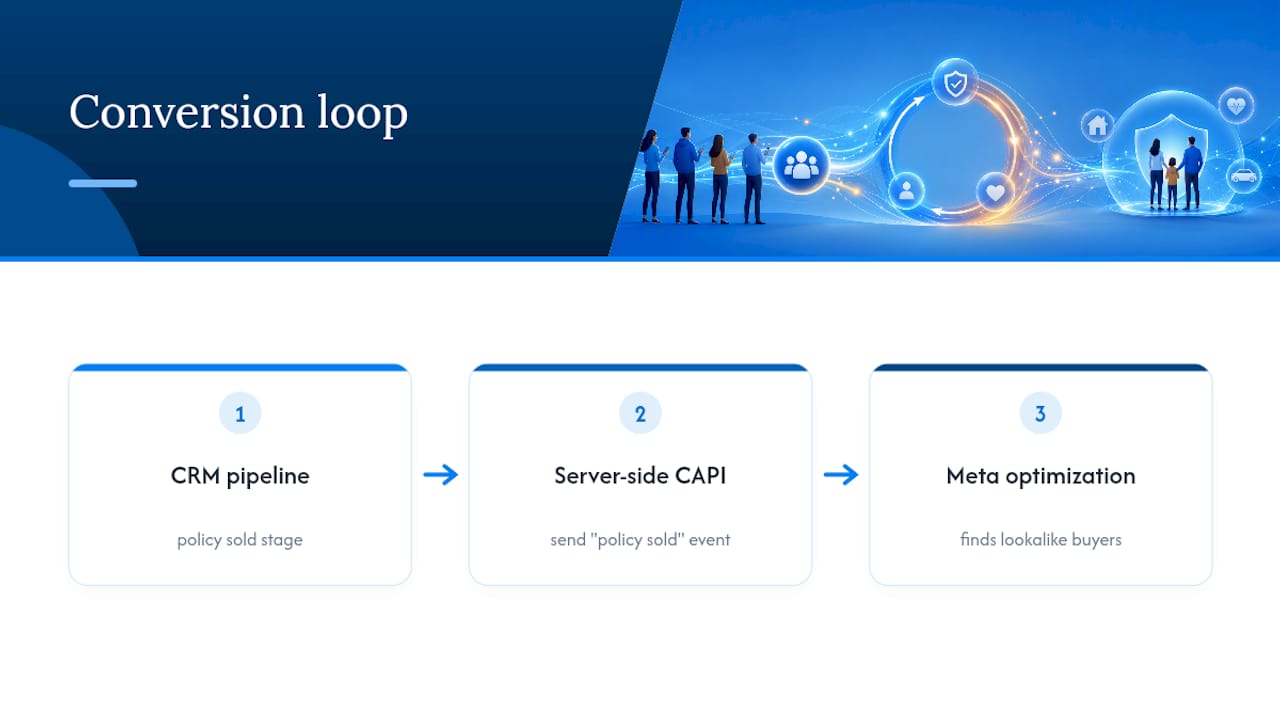
CAPI is a layer you add after lead sync works, not a replacement for it. Get leads flowing reliably first, confirm mapping and routing are clean, then wire up CAPI support so Meta’s optimization improves over the following weeks as more sold-policy events accumulate.
Common Failures and Compliance Traps to Watch For
Insurance ads typically fall under Meta’s Special Ad Category rules, which restrict certain targeting options and require compliant language around eligibility and coverage claims. Build your ad copy and targeting with that in mind from the start rather than fixing a rejected campaign after the fact.
Beyond compliance, a handful of technical issues cause most integration breakdowns:
- Revoked Lead Access. Someone removes admin permissions during a Business Manager cleanup, and leads stop flowing with no obvious error message.
- Expired OAuth tokens. Most connectors need periodic reauthorization, and a lapsed token silently halts the sync.
- Unmapped custom fields. A new qualifying question gets added to the form, but nobody updates the CRM mapping to match it.
- Duplicate record creation. Missing or broken dedup logic means the same prospect shows up three times under three different reps.
Meta’s Graph API only retains lead data for 90 days, so any sync gap that runs longer than that means those leads are gone for good. Set up monitoring or alerts on the integration itself, and keep a written record of your field mappings so a new hire or contractor can maintain the connection without reverse-engineering it from scratch.
Pro Tip: Check your integration’s health monthly, not just when leads stop showing up. A slow leak, like one form losing its mapping while the others still work, is much harder to spot than a total outage.
Why Integration Discipline Compounds Over Time
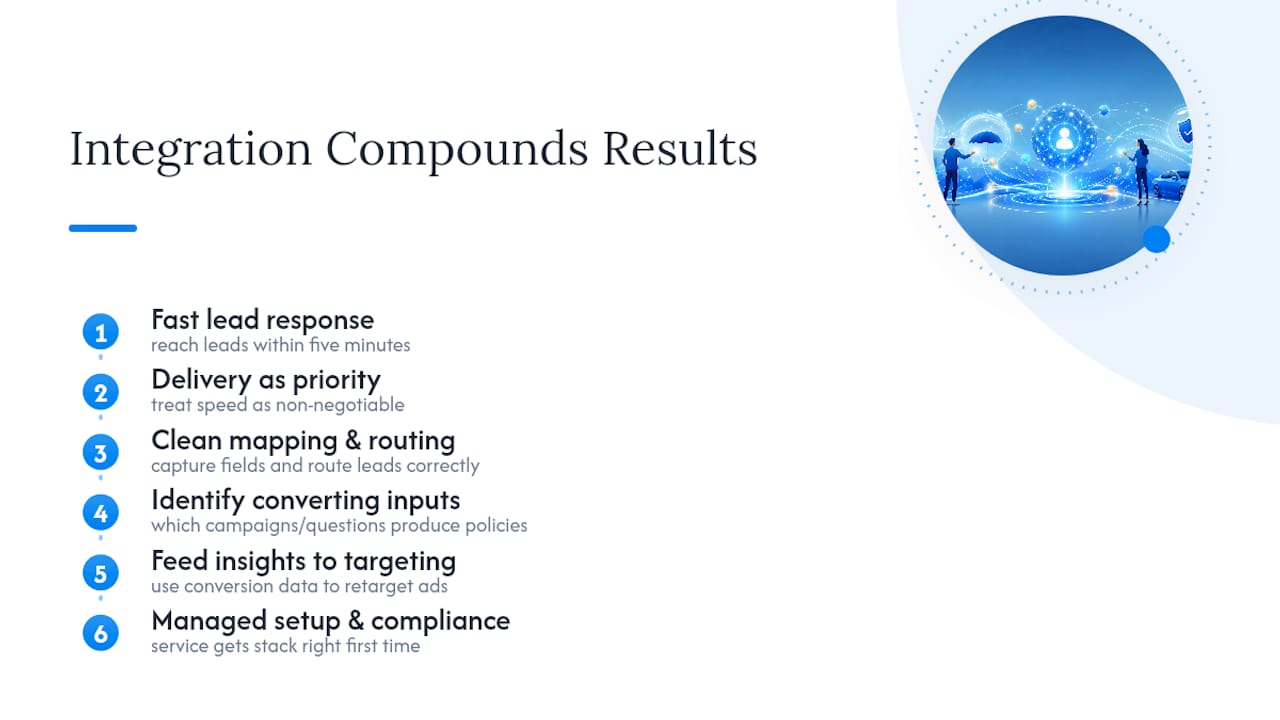
Agents who reach a lead within five minutes close far more business than agents who wait even a little while, which is reason enough to treat delivery speed as non-negotiable. But speed is only half of it. Clean field mapping and routing let you see which campaigns and questions actually produce sold policies, and feeding that back into your ad targeting is where the real compounding happens.
Most agents don’t have the time to build and babysit this stack alone. A managed service can get the setup right the first time, including the compliance pieces that are easy to miss.
— Nick
What a Managed Facebook Ad and CRM Setup Handles for You
A managed service can build and manage your Facebook ad campaigns inside your own ad account, so every lead and every bit of audience data belongs to you rather than being shared with multiple agents. A managed setup typically covers ad account audits, Instant Form design, CRM wiring with proper field mapping, routing automation, and Conversions API configuration, the exact stack this article just walked through.
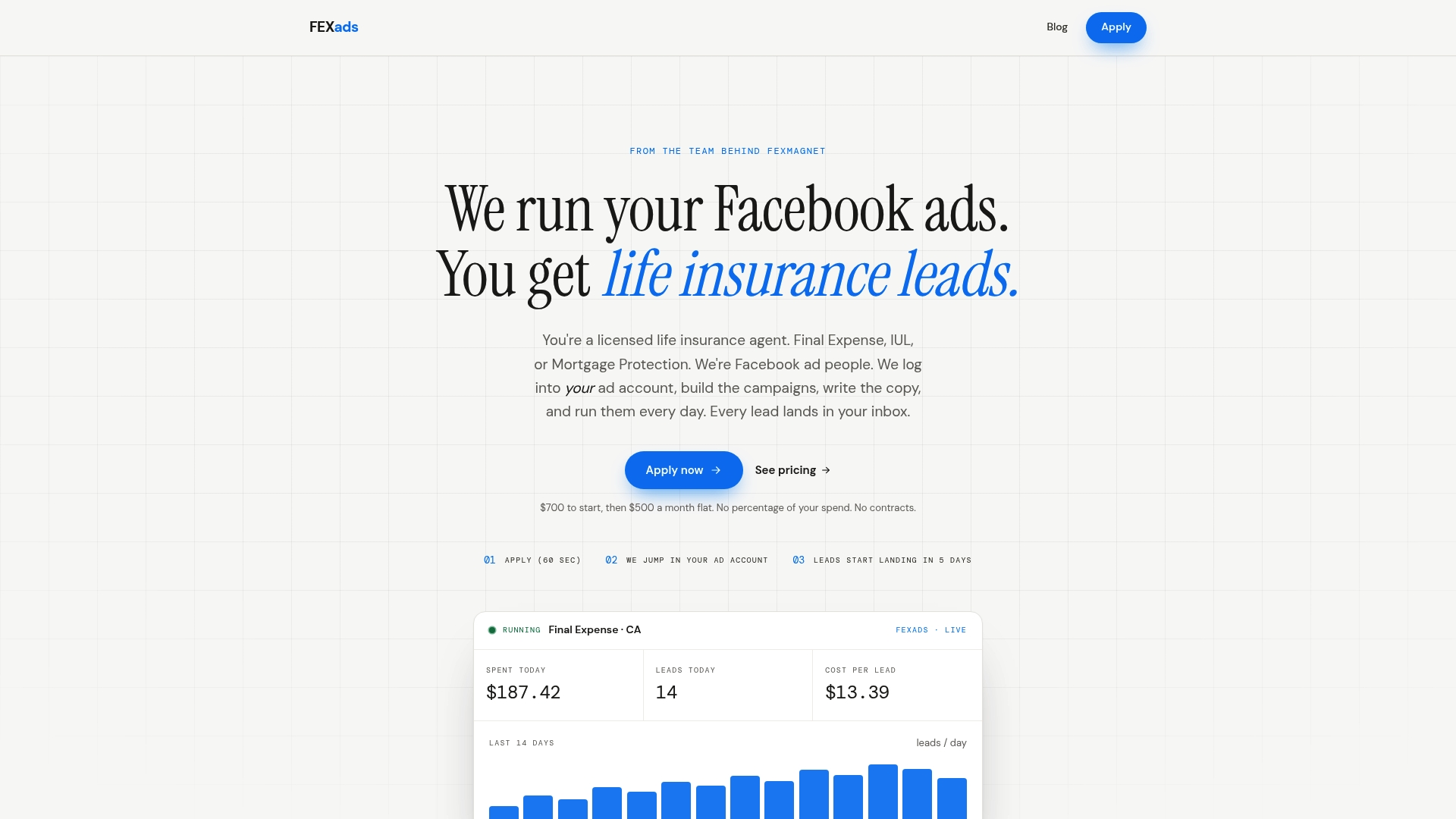
If you’d rather not spend a weekend debugging OAuth tokens and dedup logic yourself, that’s precisely the gap a managed campaign setup closes. Setup runs as a one-time fee, with ongoing monthly management available, covering daily optimization, creative refreshes, and compliance checks so your campaigns stay clean under Meta’s Special Ad Category rules. Check current cost-per-lead benchmarks for your state before you commit budget, and start the setup process directly through Fexads when you’re ready to stop losing leads to a broken sync.
Where to Learn More About Facebook Lead Ads Integration
For deeper technical reference, review Meta’s own Lead Ads Testing Tool documentation, a webhook versus polling comparison, and a general marketing automation checklist for structuring multi-channel follow-up.
This article is general information, not a substitute for advice from a qualified financial advisor. Consult a qualified financial professional about your own circumstances before acting on anything here.
Sources
- Checklist for Facebook Lead Ads API setup
- Facebook Lead Ads Integration: Connect Any CRM (2026)
- Custom CRM + Facebook Lead Ads: Real-Time Sync | LOW/CODE
- Facebook Lead Ads - CRM connection | Outfunnel Help Center
FAQ
How Fast Should a Facebook Lead Appear in My CRM?
A properly configured integration delivers leads in under 60 seconds, and some connectors show test leads in as little as 30 seconds. If your leads take several minutes to arrive, check your Lead Access permissions and OAuth token status first.
What’s the Difference Between Lead Sync and CAPI?
Lead sync moves the lead data itself from Facebook into your CRM immediately after submission. CAPI works in the opposite direction, sending conversion events like a sold policy back to Meta so its algorithm can optimize for people who actually buy, not just people who fill out a form.
Do I Need a Developer to Connect Facebook Leads to My CRM?
Not necessarily. Native connectors and tools like Zapier or third-party lead-sync platforms require no code. A direct webhook through the Graph API needs developer setup, typically a few hours of work, but it eliminates per-lead fees over time.
What Happens If My Integration Breaks and Leads Stop Syncing?
Meta’s API only stores lead data for 90 days, so any outage longer than that means those leads are permanently unrecoverable. Set up monitoring or alerts on your connection and check it monthly, not just when a rep notices leads have stopped coming in.
How Much Does a Managed Facebook Ad and CRM Setup Cost?
Fexads charges a one-time $700 setup fee for custom campaign and integration setup, plus $500 per month for ongoing ad management, billed separately from ad spend. That covers CRM wiring, routing, and compliance checks so leads flow correctly from day one.
Recommended
Want us to run your FE ads?
$700 to launch, custom website included. $500 a month flat after that.
Apply now