Strategy
Export 90 Days Now: Insurance Agents' Fix for iOS 14 Facebook Tracking
By Nick Georgalos · 14 min read · Updated 2026-09-12
Export 90 Days Now: Insurance Agents' Fix for iOS 14 Facebook Tracking ! Hand considering a mobile privacy tracking choice Apple's App Tracking Transparency (ATT) prompt and later link-tracking protections cut off the cross-app signals Facebook once used to measure and target ads.

Apple’s App Tracking Transparency (ATT) prompt and later link-tracking protections cut off the cross-app signals Facebook once used to measure and target ads. Meta’s replacement systems (Aggregated Event Measurement and SKAdNetwork) fill some of the gap, but reported conversions still run lower than reality on pixel-only setups. The single highest-leverage fix: run Conversions API alongside a properly configured Pixel, set Ads Manager to the currently supported attribution windows. Start building first-party audiences now.
TL;DR:
- Most users decline the ATT prompt, leading to zeroed IDFA and weakened cross-app tracking for Facebook advertising.
- Apple’s link-tracking protections remove key URL parameters like fbclid, further reducing attribution accuracy across browsing contexts.
- Meta’s new measurement systems, including Aggregated Event Measurement and SKAdNetwork, do not restore user-level data but focus on aggregate reporting and app install metrics.
- Advertising results appear worse due to shrinking retargeting pools, lower reported conversions, and elevated cost per acquisition, especially for long-sale campaigns.
- Fixes like installing Conversions API alongside Pixel, updating attribution windows, and building first-party audiences are essential for recovery.
Table of Contents
- How Did iOS 14 Facebook Tracking Change Advertising?
- What Did Meta Change in Response?
- How Has iOS 14 Actually Changed Facebook Ad Performance?
- Your Recovery Playbook: What to Fix First
- What to Audit in Your Reporting This Week
- How Do You Know the Fixes Actually Worked?
- Why Lead Ownership Matters More Under These Constraints
- The Long Game: Treat This as Infrastructure, Not a Patch
- Get Your Tracking Fixed and Your Leads Owned
- Sources
- FAQ
How Did iOS 14 Facebook Tracking Change Advertising?
Apple’s ATT prompt turned cross-app tracking from an assumption into a choice. Before iOS 14.5, apps could read a device’s Identifier for Advertisers (IDFA) without asking. That single string let Facebook stitch together someone’s activity across dozens of apps and websites, building the audience and retargeting data that powered ad targeting for a decade.
After the update, apps have to ask first. The prompt is blunt: “Allow tracking?” with Yes or No. Most people say no. Statista’s tracking of opt-in rates by app category shows wide variation depending on the app and audience, but the pattern across categories is consistent: opt-out behavior has become common among users, representing the majority choice rather than an exception.
When someone declines, their IDFA returns a string of zeros. Facebook can’t link that device’s in-app behavior to its ad account anymore. No IDFA means no reliable device-level bridge between “saw the ad” and “bought the policy.”
Apple layered on a second change that gets less attention: link-tracking protections. Safari and Messages now strip certain tracking parameters, including fbclid, from URLs shared between apps or opened in private contexts. That parameter is how Facebook traditionally matched a click to a website visit. When it disappears in transit, browser-side attribution weakens even for people who never saw an ATT prompt at all, because the prompt only governs apps, not link sharing.
Three mechanics drive the whole shift:
- ATT opt-in prompt: apps must request permission before accessing IDFA, and most users decline.
- IDFA nullification: a declined prompt returns a zeroed identifier, breaking cross-app matching for that device.
- Link-tracking protection: URL parameters like
fbclidget stripped in certain browsing contexts, weakening referral-based attribution.
Apple frames this as a straightforward matter of user control over data sharing, not a targeting decision aimed at any one platform. That framing matters, because it means the trend is permanent. There’s no version of iOS coming that reverses opt-in defaults.
What Did Meta Change in Response?
Meta couldn’t restore the old signal, so it built new measurement systems around the assumption that most users opt out. Two of those systems now carry the load: Aggregated Event Measurement and SKAdNetwork.
Aggregated Event Measurement (AEM) reports conversion data in aggregate rather than per user. Instead of showing you which specific person converted, it groups events and reports totals with a delay, usually within a few hours to three days. The catch is a hard cap: each domain gets eight prioritized conversion events. Rank them wrong, and your most valuable action (say, a scheduled appointment) gets buried behind a low-value one (a page view) that fires more often and eats the priority slot.
SKAdNetwork handles app install measurement specifically. It tells you an install happened and can pass back limited conversion value data, but it was built by Apple, not Meta, and it never carries user-level identifiers. You get install counts and rough post-install signals. You do not get the individual-level detail needed for granular retargeting or lookalike seeding.
Attribution windows changed too, and this is the part catching advertisers off guard heading into 2026. Meta permanently removed longer view-through windows from the Ads Insights API. Any pull request for 7d_view or 28d_view now returns empty data instead of an error, which means dashboards built on those fields go silently blank rather than throwing an alert someone would notice. The supported standard now is a 7-day click plus 1-day view attribution window combination.
The practical effects show up fast:
- AEM’s eight-event cap forces hard choices about which conversion actually matters most for your funnel.
- SKAdNetwork’s install-only, aggregate-only design rules it out as a substitute for user-level retargeting data.
- Deprecated view windows returning blank data mean any report or automation still pulling
7d_viewor28d_viewis quietly reporting nothing, not an error you’d catch in a log. - Meta’s own guidance for reaching users on iOS 14.5 or later centers on Pixel, the SDK, and Conversions API working together rather than any one tool alone.
None of these systems restore what IDFA gave you. They’re built to work within the new constraint, which is a different design goal than replacing lost precision.
How Has iOS 14 Actually Changed Facebook Ad Performance?
The clearest symptom shows up in retargeting pool size. Website custom audiences that used to number in the hundreds of thousands now shrink, because fewer visits get matched back to an identifiable person. Lookalike audiences seeded from a smaller, less representative pool tend to drift, targeting people who look less like your actual buyers over time.
Reported conversion volume drops next, and cost per acquisition appears to rise even when real sales haven’t changed. This is the part that causes the most panic in weekly reporting meetings: a campaign that’s actually performing fine can look like it’s failing, purely because fewer of its real conversions get counted.
Pixel-only tracking and server-side tracking now produce meaningfully different numbers for the same campaign. Browser-based pixel firing depends on the visitor’s device, browser settings, and ad blockers all cooperating. Server-side Conversions API calls, sent directly from your website’s server to Meta, don’t depend on any of that. Advertisers running both side by side typically see CAPI report more conversions than Pixel alone catches, and industry estimates commonly put that recovery in a moderate range depending on setup quality and traffic mix, depending on setup quality and traffic mix.
Not every campaign type feels this equally:
- App install campaigns took an early, well-documented hit, and Meta itself warned Audience Network revenue could fall sharply once personalization dropped off.
- Low-funnel web conversions (form fills, purchases, lead submissions) suffer from attribution gaps between click and action, especially when that gap crosses a day or two.
- Long-consideration sales, the kind common in insurance where someone sees an ad, researches for a week, then calls, get hit hardest of all, because the time between impression and conversion routinely exceeds the supported windows.
For an agent running final expense or IUL campaigns, that last category isn’t a footnote. It’s the whole funnel.
Your Recovery Playbook: What to Fix First
Not every fix carries equal weight. Some take an afternoon and recover most of your lost signal. Others are longer plays that pay off over months. Work through them roughly in this order.
- Fix your attribution windows immediately. Open Ads Manager and confirm your reporting windows match what Meta currently supports. Then check every API call, script, or export tool still requesting
7d_viewor28d_viewand update them, because those requests now come back empty rather than erroring out. - Install Conversions API alongside your Pixel, not instead of it. Running both together, with event deduplication configured correctly, is what actually recovers volume. Send full hashed customer identifiers (email, phone, name) with every server-side event to maximize match quality.
- Capture and persist click IDs server-side. Grab
fbclidand the resultingfbccookie value the moment a visitor lands, store it against their session, and pass it through to your CAPI events. Use consistent SHA-256 hashing across every match key so Meta’s system can reliably tie a server event back to the original click. - Build first-party audiences aggressively. Email lists, phone numbers, and website visitors captured server-side all become custom audience sources that don’t depend on IDFA at all. Upload offline conversions from your CRM regularly, and ramp up CRM matching so your ad account learns from actual closed business, not just form fills.
- Adjust optimization to compensate for signal loss. Widen audiences rather than narrowing them further, since smaller pools built on partial data perform worse than broader ones Meta’s algorithm can work with. Test creative more aggressively, using tools like the Facebook Ad Generator: Primary Text & Headlines | AmmarAI, since with less precise targeting, the creative itself carries more of the performance weight. Scale spend conservatively; a campaign that looks like it’s winning on partial data can collapse once you push budget past what the audience can support.
- Monitor Event Match Quality and match rate weekly. Compare pixel-only numbers against CAPI numbers side by side to see your actual recovery rate, and export historical pre-change data now so you have a real baseline to measure the gap against later.
Pro Tip: Before you touch anything else, export at least 90 days of pre-2026 attribution data and save it outside Ads Manager. Once Meta fully retires a reporting window, that historical comparison point disappears with it, and you’ll want it later to prove whether your fixes actually worked.
What to Audit in Your Reporting This Week
Most of the damage right now isn’t from Apple’s original changes. It’s from dashboards and scripts still quietly requesting data that no longer exists. Run this audit before you touch strategy.
- Search your codebase and ETL jobs for any hardcoded reference to
7d_viewor28d_viewand replace them with the currently supported 7-day click, 1-day view standard. - Check Pixel and CAPI deduplication settings, then pull your match rate and Event Match Quality score. A match rate under 60 to 70 percent usually points to weak or missing hashed identifiers.
- Confirm third-party connectors like Supermetrics or Funnel are running current API versions, and check that any Looker Studio or spreadsheet formulas referencing attribution windows use fields Meta still supports.
- Export historical data before it’s gone. Anything relying on longer view windows for trend analysis needs a saved snapshot, because you can’t pull it retroactively once it’s deprecated.
None of these audits require a developer sprint. Most take an hour with access to Events Manager and whatever reporting tool sits between your ad account and your spreadsheets.
How Do You Know the Fixes Actually Worked?
Run a straightforward before-and-after comparison rather than trusting gut feel. Set a baseline period using your pixel-only reporting, then compare it against a treatment period once CAPI is fully live and deduplicating correctly.
- Track matched event rate and deduplication ratio week over week; both should climb as your hashed identifier coverage improves.
- Watch your Event Match Quality score as a proxy for data quality, and treat any plateau below 6 or 7 out of 10 as a sign your identifier hashing or coverage needs work.
- Calculate the delta between pixel-reported and server-reported conversions for the same date range. That gap is your real attribution gap, not a guess.
- Set an acceptance threshold before you start, such as recovering at least 20 to 30 percent of previously unmatched conversions, so you have a concrete pass or fail line instead of a vague sense of improvement.
Why Lead Ownership Matters More Under These Constraints
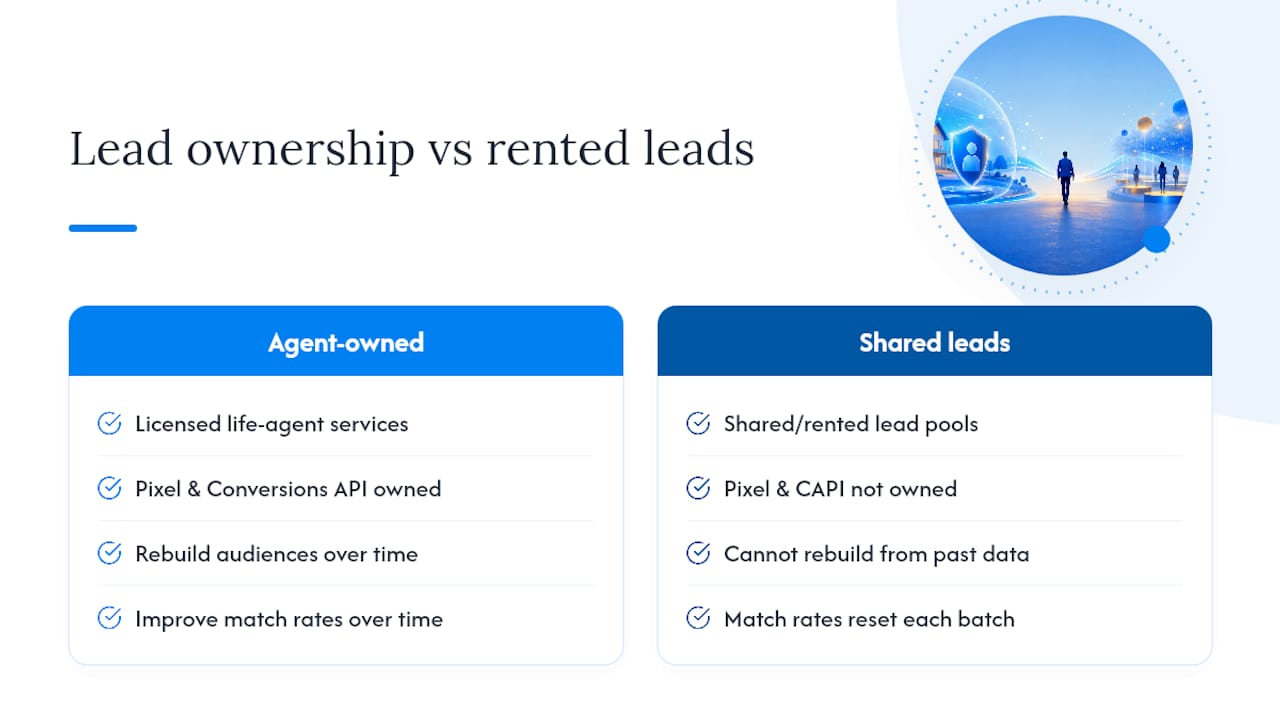
Some Facebook ad management services work exclusively with licensed life insurance agents, ensuring that leads generate directly in the agent’s own ad account rather than a shared pool. That structure matters more now than it did before ATT, because owning your pixel data and your Conversions API integration is what lets you rebuild audiences and match rates over time instead of starting from zero with every rented lead batch. Agents evaluating cost per lead under today’s tighter attribution can use the CPL calculator and the Facebook ads glossary to translate these changes into real numbers for final expense, IUL, and mortgage protection campaigns.
The Long Game: Treat This as Infrastructure, Not a Patch
The mistake I keep seeing is advertisers treating CAPI and attribution fixes as a one-time cleanup instead of permanent infrastructure. First-party data, server-side tracking, and CRM matching aren’t a workaround for 2026. They’re the new baseline, and Meta’s window removals confirm more change is coming, not less. Plan for continued erosion in third-party signal and build your measurement stack, including cross-platform attribution and marketing mix modeling, around data you actually own.
— Nick
Get Your Tracking Fixed and Your Leads Owned
There’s a real cost to fixing this yourself: hours spent hunting deprecated API calls, guessing at hashing standards, and hoping your match rate improves before your CPA report is due. Some Facebook ad campaign providers include Pixel plus Conversions API setup as part of every campaign build, not as an upsell, for licensed life insurance agents. That means correct event deduplication, hashed match keys, and attribution windows configured to Meta’s current standards from day one, with every lead landing directly in your own ad account instead of a shared lead pool.
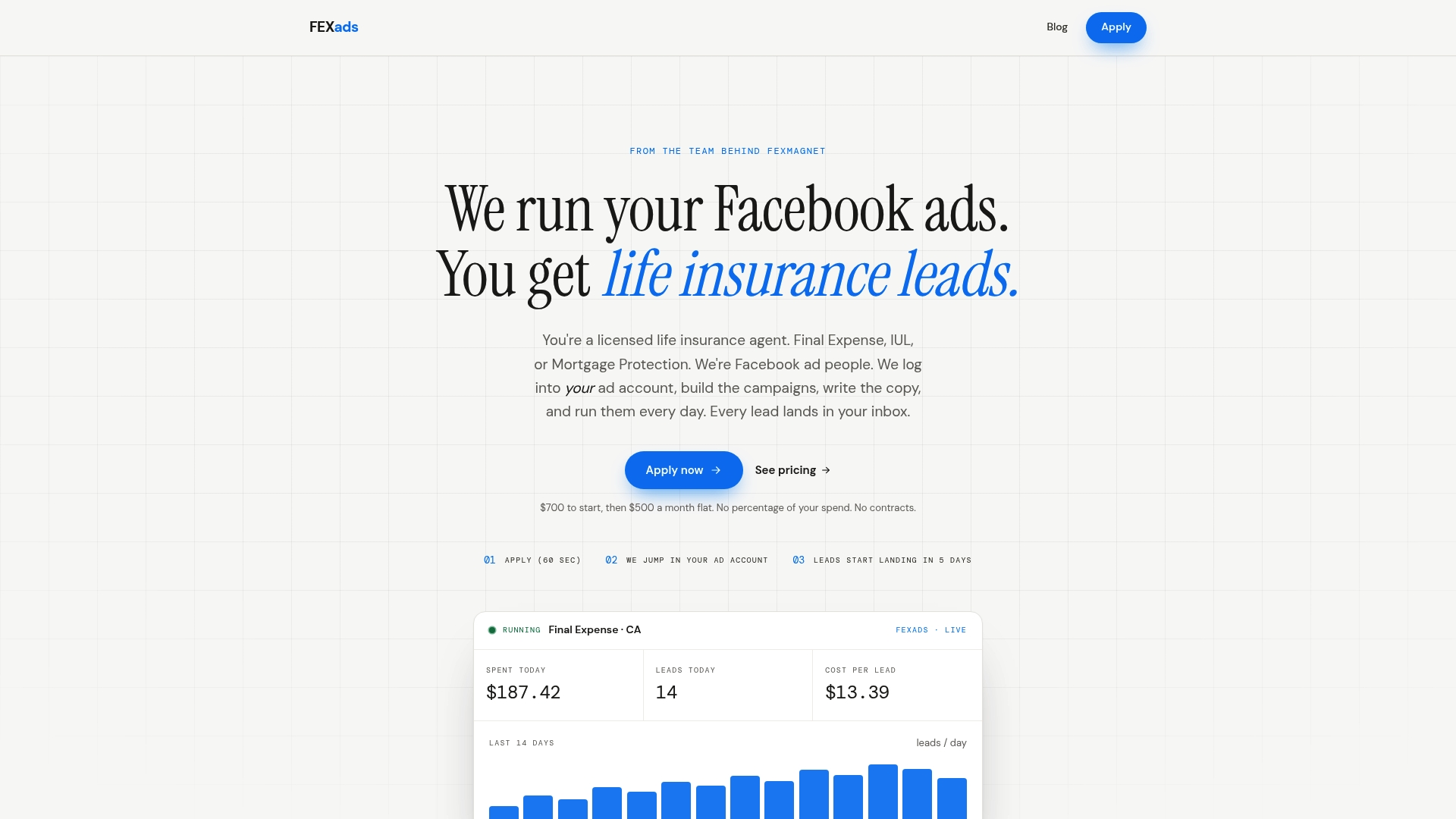
Agents selling final expense, IUL, or mortgage protection can obtain campaigns built around their offer, ongoing daily optimization, and reporting that accounts for attribution gaps. If you’re tired of guessing whether your numbers reflect reality, check FexAds’ state-specific ad campaign services to see what a properly tracked campaign looks like in your market.
Sources
- Apple privacy – Control
- Meta attribution window changes 2026: Fix your tracking
- Facebook says Apple’s iOS 14 anti-tracking features will cut audience network ad revenue
FAQ
How do I turn off Facebook app tracking on my iPhone?
Go to Settings, then Privacy & Security, then Tracking, and turn off “Allow Apps to Request to Track.” You can also deny tracking individually the first time any app’s ATT prompt appears.
Is iOS 14 still usable for running Facebook ads?
Yes, but it marked a permanent shift, not a temporary glitch. Every iOS version since has kept ATT’s opt-in default, so campaigns need Conversions API and first-party data strategies regardless of which current iOS version your audience runs.
How can you tell if someone is tracking you on Facebook?
Check your Facebook off-Facebook activity settings, which list apps and websites that have shared data with Facebook about your activity, and review your iPhone’s Tracking settings under Privacy & Security to see which apps have permission.
What version of iOS is required for Facebook ad tracking changes to apply?
The ATT framework took effect starting with iOS 14.5, and every iOS release since has carried the same opt-in requirement, so any current iPhone running a supported iOS version is subject to it.
Recommended
Want us to run your FE ads?
Two plans from $200 setup. A flat monthly fee from $500 that starts at your first sale.
Apply now