Strategy
Fix 7 Facebook Ad Disapprovals Costing Life Insurance Agents Leads
By Nick Georgalos · 14 min read · Updated 2026-09-27
Fix 7 Facebook Ad Disapprovals Costing Life Insurance Agents Leads ! Agent reviewing life insurance ad compliance Most life insurance ads get disapproved because they trigger Meta's Special Ad Category rules or imply a personal attribute like age, health, or debt.

Most life insurance ads get disapproved because they trigger Meta’s Special Ad Category rules or imply a personal attribute like age, health, or debt. Open Ads Manager right now, click the disapproved ad, and read the exact policy line Meta cites under the ad’s status. Then check three things in order: is Special Ad Category declared correctly, does any word in your copy suggest something about the viewer personally, and does your landing page actually match what the ad promises.
TL;DR:
- Declaring the Special Ad Category and restricting targeting to broad options are mandatory for compliance, especially avoiding interest or ZIP code exclusions.
- Using personal-attribute language or implying viewer traits triggers disapproval and must be replaced with benefit-focused copy that does not suggest specific demographics.
- Landing pages must directly match ad promises, load quickly, and avoid broken links or intrusive auto-triggered content to prevent automatic rejection.
- Asking for prohibited personal or financial information in lead forms leads to rejection, so only basic contact info should be collected in compliance with policies.
- Building campaigns with consistent compliance checks, careful copy, matching landing pages, and account health monitoring minimizes disapproval frequency and maintains steady lead flow.
Table of Contents
- How to Fix the 7 Most Common Facebook Ad Disapproval Reasons
- Diagnosing and Fixing a Disapproved Ad Step by Step
- Rewriting Ad Copy and Landing Pages So They Pass Review
- Requesting a Review: What to Say and How Long It Takes
- Setting Up Campaigns So They Don’t Get Flagged Again
- What a Compliance-First Ad Setup Actually Checks
- Prevention Beats Appeals, Even When You Win the Appeal
- Let FexAds Handle the Compliance Work So Your Ads Stay Live
- Where to Verify the Rules Yourself
- Sources
- FAQ
How to Fix the 7 Most Common Facebook Ad Disapproval Reasons
Life insurance advertising rules on Facebook trip up even experienced agents because the platform treats insurance as a restricted financial product. Here’s the quick-reference version, matched to the fastest fix for each.
- Special Ad Category not declared, or age/gender targeting used. Meta requires financial and insurance advertisers to select Special Ad Category at the campaign level and restrict targeting to broad options; age-only targeting starting at 18 is allowed, but ZIP code, gender, or interest-based exclusions common in regulated verticals are not, according to Meta’s financial services policy.
- Personal-attribute wording. Phrases like “Are you over 65 and worried about your family’s finances?” imply something about the viewer. Rewrite to a benefit statement instead: “Final expense coverage that locks in your rate for life.”
- Landing-page mismatch or broken pages. If your ad promises a free quote and the page loads a generic homepage or a 404, that’s an automatic flag. Test every link before submitting, on both desktop and mobile.
- Misleading or guaranteed claims. “Guaranteed approval, no health questions, ever” reads as a sensational promise Meta’s reviewers are trained to catch. State eligibility honestly instead.
- Lead-form fields requesting prohibited data. Asking for Social Security numbers, exact income, or medical history inside an Instant Form violates the financial products policy and gets the whole ad rejected, not just the form.
- Account quality flags from repeated violations. Multiple disapprovals in a short window can lower your Account Quality score and slow future reviews. Check the Account Quality tab before you resubmit anything.
- Using images, logos, or copy you don’t own. Stock carrier logos, screenshots of other agents’ ads, or borrowed testimonials risk an intellectual-property strike on top of the policy rejection.
Diagnosing and Fixing a Disapproved Ad Step by Step
Guessing wastes review cycles. The fastest path back to “Active” status follows a fixed sequence, and skipping steps is what causes agents to resubmit the same broken ad three times in a row.
- Read the exact policy citation in Ads Manager. Click the ad, find the disapproval notice, and note the specific policy name Meta lists. This determines which element to fix, not a guess based on past experience.
- Map the reason to the right layer. A “personal attributes” flag means edit the ad copy. A “landing page” flag means fix the URL or page content. A “restricted content” flag often points to the lead form itself.
- Run quick isolation tests. Swap in a neutral, benefit-focused headline. Simplify the landing page to a single clear offer. Change one variable at a time so you know which fix actually worked.
- Decide: edit and resubmit, or request a review. If the ad genuinely violated a policy, editing is faster than appealing. If you believe Meta’s system misread compliant language as a violation, that’s when a review request makes sense.
- Pause the campaign and run one control ad. If disapprovals keep recurring across a batch, stop the whole campaign and test a single, deliberately conservative ad to confirm your account isn’t flagged at a deeper level.
Practitioner guides note that Meta’s machine-learning classifiers have gotten stricter about catching implicit personal-attribute phrasing, which is why semantic alignment between ad copy and landing page now matters more than it did a few years ago, along with resubmitting one change at a time instead of rewriting everything at once.
Pro Tip: Keep a simple log of every rejected ad, the exact policy cited, and the fix you made. After a few months, you’ll spot your own recurring mistake, whether it’s a phrase you keep reusing or a landing page template that’s too aggressive.
Rewriting Ad Copy and Landing Pages So They Pass Review
The gap between a disapproved ad and an approved one is often a handful of words. Here’s what the banned pattern looks like next to a compliant rewrite:
| Banned pattern | Compliant rewrite |
|---|---|
| “This covers your funeral costs” | “Final expense coverage designed for retirees” |
| “Struggling with medical bills? We can help” | “Affordable coverage options, no medical exam required” |
| “Guaranteed acceptance, no questions asked” | “Simplified underwriting available for eligible applicants” |
| “See if you qualify for coverage” | “Learn about coverage amounts” |
Lead forms need the same discipline. Meta’s policy on financial and insurance products prohibits requesting certain personal or financial information inside the ad experience itself, which means Social Security numbers, income brackets, and detailed health history don’t belong in an Instant Form. Name, phone, email, and state of residence are generally fine. If you’re weighing Instant Forms against a standalone landing page, the tradeoffs around data quality and compliance are worth understanding before you pick one, and a comparison of lead forms versus landing pages lays out the difference clearly.
Your landing page needs a checklist of its own: does the headline match the ad’s promise word for word, does the page load in under a few seconds, is there no auto-triggered download or exit popup, and is your license information visible somewhere on the page. NAIC’s model advertising regulations for life insurance support including disclosure language on materials that make coverage claims, and a landing page that skips this looks thinner to a reviewer than one that includes it. For copy inspiration that still respects these limits, a guide to persuasive copywriting covers how to keep language compelling without crossing into sensational territory.
Requesting a Review: What to Say and How Long It Takes
When you’re confident the disapproval was a false positive, appealing beats rewriting a compliant ad from scratch. Here’s the sequence that actually gets a human to look at it:
- Open the ad in Ads Manager and click “Request Review.” This routes the ad to manual review instead of leaving it stuck in the automated queue.
- Write a short, specific explanation. Reference the exact policy Meta cited and state plainly why your ad complies: “This ad was flagged under discriminatory practices, but the copy makes no reference to age, health, or financial status. It offers general information about final expense coverage.”
- Attach nothing extra. Reviewers move faster through concise appeals than long justifications with multiple arguments stacked together.
- Expect a same-day to 48-hour turnaround for straightforward cases, based on agency-reported timelines, though restricted-category certification issues can take several days longer to resolve.
- Escalate to Business Support if the ad stays disapproved after review, or if multiple ads across your account get flagged in the same week, which can signal an account-level issue rather than a single bad ad.
Meta’s own guidance is blunt about one thing: resubmitting the identical ad without changing anything doesn’t just fail again, it can read as circumvention and put more scrutiny on your account. Edit something meaningful before you appeal, even if it’s minor.
Setting Up Campaigns So They Don’t Get Flagged Again
Prevention beats appeals almost every time, and most of it comes down to habits you build into campaign setup rather than fixes you make after the fact.
- Declare Special Ad Category the moment you create the campaign, before you touch targeting or budget.
- Build one clean landing-page template per offer and reuse it, rather than spinning up a new page for every ad set.
- Rotate ad creative every few weeks even when nothing is flagged, since stale creative with slightly aggressive phrasing tends to get caught as Meta’s classifiers update.
- Keep every claim conservative enough that you could read it aloud to a compliance officer without flinching.
- Check your Account Quality dashboard weekly, not just when something breaks.
- Never run the same offer across multiple ad accounts tied to your business to dodge a rejection. That reads as anti-association abuse and risks a broader ban, a mistake covered in more detail in this breakdown of running final expense ads without losing your account.
Pro Tip: Insurance-specific forum threads from agents running these campaigns consistently point to the same three fixes: correct Special Ad Category, clean wording, and a landing page that matches the ad. If you only have time to check three things before you resubmit, those are the three.
What a Compliance-First Ad Setup Actually Checks
Running Facebook ads for licensed life insurance agents day in and day out surfaces the same handful of failure points over and over. A setup built around avoiding them looks different from a standard ad account.
Before any campaign for final expense, IUL, or mortgage protection goes live the checklist runs through:
- Special Ad Category confirmed and targeting limited to broad, compliant options
- Ad copy reviewed line by line for implied personal attributes
- Landing page content matched word for word against the ad’s stated offer
- Lead forms audited for prohibited fields before the campaign launches
- Pixel and conversion tracking verified so approved ads actually report performance correctly
Agents who own their ad account and their lead data get one advantage that rented-lead buyers never see: every optimization compounds over time instead of resetting with the next batch purchase. When you’re the one who owns the account, a disapproval is a fixable speed bump. When you’re renting leads through someone else’s system, you have no visibility into whether compliance issues are even the reason your volume dropped.
Prevention Beats Appeals, Even When You Win the Appeal

Winning an appeal feels like a victory, but it’s really just recovering ground you lost. A false positive gets overturned, sure, and Meta’s review process exists for exactly that reason. But every hour an ad sits in “In Review” is an hour of lead flow you’re not getting, and agents chasing appeals week after week usually have a deeper pattern problem: the same aggressive phrasing, the same mismatched landing page, showing up in a new ad every time.
Account hygiene is unglamorous work. Checking Account Quality, keeping claims conservative, matching landing pages to ad promises. None of it feels like marketing. But it’s the difference between steady lead delivery and a campaign that spends half its life in review. At some point, if you’re managing this alone while also selling policies, outsourcing the compliance layer to someone who does it daily stops being a luxury and starts being the more efficient math.
— Nick
Let FexAds Handle the Compliance Work So Your Ads Stay Live
FexAds is the alternative to guessing your way through Meta’s policy queue: every campaign we build for final expense, IUL, and mortgage protection agents goes through a compliance-first setup before it launches, and every lead generated lands directly in your own ad account, not a shared lead pool.
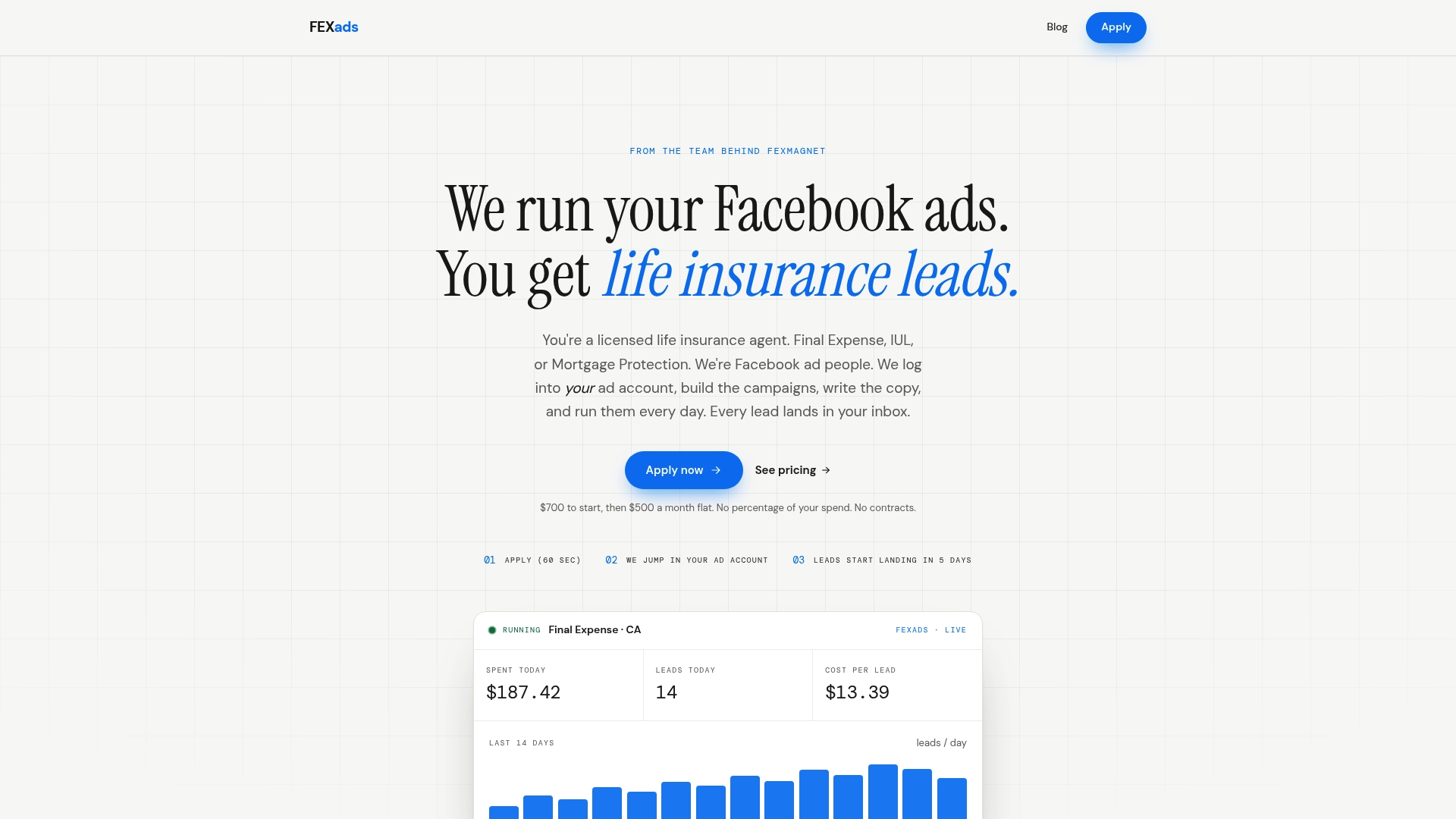
If you’re dealing with repeated disapprovals, an Account Quality flag you don’t understand, or you simply don’t have the hours to test copy variations against Meta’s policy list every week, that’s exactly the gap FexAds fills. We handle campaign setup, landing-page builds, lead-form compliance checks, pixel installation, and ongoing creative refreshes so the review process stops eating into your lead flow. Setup runs as a one-time $700 fee, with ongoing management at $500 per month, billed separately from your ad spend, and there’s no contract locking you in. Start with a campaign setup and account audit and see what a compliance-first structure looks like for your account before your next ad ever hits review.
Where to Verify the Rules Yourself
Policy language changes, and the fastest way to confirm current rules is straight from the source rather than a summary.
- Meta’s financial and insurance products policy covers targeting, licensing, and prohibited data requests.
- Meta’s discriminatory practices policy explains personal-attribute restrictions and Special Ad Category requirements.
- NAIC’s model laws library includes advertising and disclosure regulations for life insurance that inform conservative copy and landing-page disclosures.
This article is general information, not a substitute for advice from a qualified financial advisor. Consult a qualified financial professional about your own circumstances before acting on anything here.
Sources
- Financial and Insurance Products and Services | Transparency Centre
- Discriminatory practices | Ad standards — Transparency Centre
- Model Laws | NAIC
- Why Is My Facebook Ad Disapproved? Top 10 Reasons (2026) | DeepClick
FAQ
What happens when a Facebook ad gets disapproved?
The ad stops delivering immediately and Ads Manager marks it “Disapproved” with a specific policy citation attached. You can edit the ad and resubmit, or click “Request Review” if you believe the decision was a false positive, and Meta typically responds within a day or two for straightforward cases.
Are life insurance ads on Facebook legitimate?
Yes. Facebook allows life insurance advertising, but treats it as a restricted financial product requiring Special Ad Category declaration and compliant targeting, according to Meta’s own policy. Legitimate agents run these campaigns constantly; the disapprovals come from specific wording or setup mistakes, not from the vertical being banned.
Can you advertise life insurance on Facebook?
You can, as long as you declare Special Ad Category, avoid implying personal attributes about the viewer, and match your landing page to your ad’s actual offer. Licensed agents running final expense, IUL, or mortgage protection campaigns do this every day.
Why does Facebook keep rejecting my ads?
The most common causes are personal-attribute wording, a missing or incorrect Special Ad Category setting, and a landing page that doesn’t match the ad’s promise, based on both Meta’s policy documentation and repeated patterns agents report. Check the exact policy citation in Ads Manager first, since guessing at the cause wastes review cycles.
How much does FexAds cost to set up compliant campaigns?
FexAds charges a one-time $700 setup fee for custom campaign building, plus $500 per month for ongoing management, billed separately from ad spend. There’s no bundled software rental and no long-term contract.
Want us to run your FE ads?
Two plans from $300 setup. A flat monthly fee from $700 that starts at your first sale.
Apply now