Strategy
Do One Thing This Week: event_id + Pixel + CAPI for Insurance Agents
By Nick Georgalos · 14 min read · Updated 2026-09-16
Do One Thing This Week: event id + Pixel + CAPI for Insurance Agents ! Analyst reviewing browser and server event signals Run both.

Run both. The Meta Pixel captures immediate browser-side signals; the Conversions API (CAPI) sends the same events from your server, so they survive ad blockers and browser privacy limits. Connect them with a shared event_id so Meta deduplicates the pair into one conversion instead of counting it twice. If you set up only one thing this week, make it the identifier that enables deduplication.
TL;DR:
- Using the Pixel alone leaves gaps in conversion tracking for users blocking cookies or browsing in privacy modes.
- Server-to-server CAPI captures offline and delayed actions that the Pixel cannot detect, such as phone sales or subscription renewals.
- Linking Pixel and CAPI events with a shared event_id and consistent identifiers prevents double-counting and improves Event Match Quality.
- Proper setup involves passing essential data like fbclid, timestamps, and hashed identifiers, and regular validation in Events Manager is crucial.
- Combining both tracking methods enhances overall conversion measurement and lowers costs by delivering higher-quality signals to Meta’s optimization algorithms.
Table of Contents
- Pixel vs Conversions API at a Glance
- How Does the Meta Pixel Actually Work?
- How Does the Conversions API Work?
- Which Events Should You Trust From Which Source?
- How Do You Deduplicate Pixel and CAPI Events?
- Partner Plugin, Server-Side GTM, or Custom Build?
- What Is Event Match Quality and Why Does It Matter?
- Does Server-Side Tracking Change Your Privacy Obligations?
- What Configuration Mistakes Break Pixel and CAPI Setups?
- A Managed Approach to Pixel and CAPI Setup
- Why Fexads Sets Up Pixel and CAPI for You
- Sources
- FAQ
Pixel vs Conversions API at a Glance
The Pixel is fast to install and gives you browser context. It reads cookies, catches the click ID off the URL, and reports back to Ads Manager within seconds. The tradeoff: it only sees what the browser lets it see, and a growing share of browsers do not let it see much.
CAPI runs the opposite way. It sends events straight from your server, order system, or CRM to Meta, so it survives cookie blocking, ad blockers, and Safari’s tracking restrictions. It takes more setup, whether through a partner integration or a bit of backend work, and it needs identifiers like a hashed email or phone number to match a person to an ad click.
-
Meta Pixel: quick to deploy, gives real-time browser signals, weak against blockers and privacy browsers.
-
Conversions API: resilient against browser restrictions, requires server infrastructure or a partner tool, needs hashed identifiers to match well.
-
Rule of thumb: install the Pixel first for speed, then add CAPI once ad spend, offline sales, or privacy-driven data loss start costing you real optimization signal.
Vendor benchmarks vary, but industry write-ups on Pixel and CAPI performance consistently report that pairing the two recovers a meaningful share of conversions the Pixel alone would have missed, and raises Event Match Quality in the process.
How Does the Meta Pixel Actually Work?
The Pixel is a snippet of JavaScript that fires in the visitor’s browser the moment a page loads or a button gets clicked. It calls back to Meta’s servers, and that request carries the event name, a currency and value if it’s a purchase, and cookie data like _fbp and _fbc that tie the visit back to a specific ad click through the fbclid parameter.
That transport method is also the Pixel’s weak point. Tracking pixels work by requesting a collector URL, and anything that interferes with that request, or with the cookies riding alongside it, breaks the signal.
- Ad blockers and browser extensions strip the request before it fires.
- Safari’s Intelligent Tracking Prevention (ITP) limits how long
_fbpand_fbccookies survive. - Private or incognito browsing sessions often block third-party cookies outright.
- Aggressive page caching can serve a stale version of the page that never fires the Pixel at all.
None of that makes the Pixel useless. It’s still your fastest source for debugging in real time, watching campaign feedback the moment a change goes live, and confirming that events are structured correctly before you push the same payload through CAPI. Lean on it for speed, not for durability.
How Does the Conversions API Work?
CAPI is a direct HTTPS call from your server to Meta, completely outside the browser. That single distinction is why it survives everything that breaks the Pixel. The Meta Business Help Center describes CAPI as running server-to-server, independent of cookies, browser extensions, or client-side script blocking.
Because the event originates on your server, it can come from almost anywhere in your stack: your order management system, your CRM, a call center’s dealer software, or a scheduled batch job that syncs conversions overnight. That opens the door to event types the Pixel simply cannot see, like a phone sale closed three days after the ad click, a refund, or a subscription renewal months later.
- Purchases, leads, and refunds can all be sent from backend systems with no browser dependency.
- Offline conversions, like a phone-closed sale, become trackable for the first time.
- You can implement CAPI through a partner plugin, server-side Google Tag Manager, or a custom server build.
- Timestamps need to be accurate, retries need to be built in for failed sends, and identifiers need proper hashing before they ever leave your server.
Get those details wrong and CAPI does not fail loudly. It just quietly reports bad or duplicate data, which is arguably worse than no data at all.
Which Events Should You Trust From Which Source?
Coverage is where the difference actually shows up in your numbers. A visitor who calls your office after clicking an ad never generates a Pixel event; nothing happened in a browser to track. Send that lead from your CRM through CAPI, and it shows up in Ads Manager as a real, attributable conversion. The same goes for a purchase confirmed after fraud review, or a sale that closes on a follow-up call three days after the click.
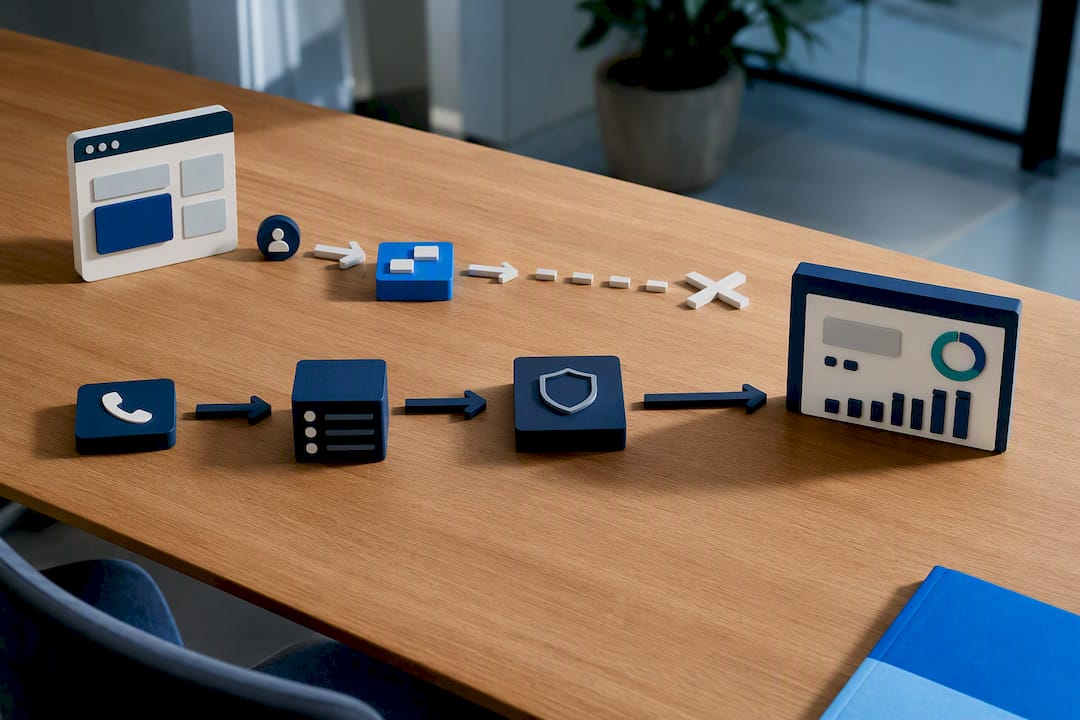
Timing differs too. The Pixel reports almost instantly, which makes it useful for a marketer checking campaign health mid-day. CAPI events can lag by minutes or hours, depending on when your backend processes them, so don’t panic if server-confirmed numbers trail slightly behind what the Pixel already showed.
Identifiers work differently on each side. The browser hands the Pixel a fbclid and sets _fbp/_fbc cookies automatically. Your server has no browser context, so it needs you to actively pass hashed email addresses, phone numbers, or other identifiers to get a comparable match rate, which directly feeds Event Match Quality.
- Send real-time, on-site actions (page views, add-to-cart, initial lead form) primarily through the Pixel.
- Send confirmed, back-office, or delayed actions (closed sales, refunds, offline leads) through CAPI.
- Pass the browser’s
fbclidand_fbcvalue to your server so CAPI events keep the thread back to the original ad click.
That last point matters more than most implementations account for. Combining both signal sources measurably raises Event Match Quality compared to running the Pixel alone, which shows up downstream as better bidding and a lower blended cost per lead. Understanding how Meta’s attribution window interacts with delayed server events also helps explain why a sale reported a day late can still count toward the campaign that drove it.
How Do You Deduplicate Pixel and CAPI Events?
Run both without deduplication and you will double-count conversions, inflating your reported results and quietly wrecking your real cost-per-lead math. Meta prevents that through one mechanism: a shared event_id. When the Pixel and CAPI send the same event_id, the same event_name, and timestamps close enough together, Meta’s deduplication logic recognizes them as one event and counts it once.
- Generate a stable
event_idfor every conversion, commonly a hash of the order ID plus a timestamp, and attach it to the browser event and the server event alike. - Fire the Pixel event and the CAPI event with the identical
event_name(Purchase, Lead, CompleteRegistration) so Meta can match them correctly. - Hash identifiers like email and phone number using SHA256 before sending, and include every identifier you legitimately have. More matched fields mean a higher Event Match Quality score.
- Check your work in Events Manager: confirm the deduplication rate, watch the EMQ score trend upward, and flag any event pair that Meta is not matching.
Pro Tip: Build your event_id from data that exists on both sides before the event fires, like an order ID, rather than a random string generated separately in each system. If the two sides can’t produce the same value independently, deduplication breaks silently.
Partner Plugin, Server-Side GTM, or Custom Build?
Your technical resources decide this, not your ambition. Three routes cover almost every advertiser.
Partner integrations are the fastest path. Shopify, WooCommerce, and most major CMS platforms now offer one-click CAPI connections that handle the server call for you. Several implementation paths, including native platform integrations, exist specifically to cut development time for ecommerce sellers who don’t want to touch code.
Server-side Google Tag Manager sits in the middle. You get more control over which events fire, how identifiers get processed, and how consent gating applies before anything reaches Meta, without building a full custom backend. It’s the right call for teams with some technical capacity but no dedicated backend engineer.
A custom server build gives you full control, which matters if you’re syncing offline sales, subscription renewals, or a call center’s closed-lead data on your own schedule. It costs more time upfront.
- Whatever route you choose, a minimum viable CAPI payload needs the event name, timestamp, at least one hashed identifier, and the source URL.
- Build in retry logic for failed sends and basic logging, so a dropped event doesn’t just vanish without a trace.
Pro Tip: If you’re managing a Business Manager account with outside help, granting partner access correctly the first time saves you from a permissions mess later, especially once a partner integration needs write access to your pixel and dataset.
What Is Event Match Quality and Why Does It Matter?
Event Match Quality (EMQ) is Meta’s score for how confidently it can tie a conversion event back to a real person who saw or clicked your ad. Meta’s own tooling ties EMQ directly to the identifiers included in each event: a higher score means better matching, which means better optimization and, generally, a lower cost per result.
Some identifiers carry far more weight than others. Hashed email and phone number tend to move the score the most, with full name, postal code, and date of birth adding smaller but real gains when they’re available.
- Missing identifiers don’t break your campaign, but they cap how well Meta’s algorithm can learn from your conversions.
- Sending more fields, even partial ones, compensates for gaps elsewhere in your matching data.
- Always hash personal identifiers with SHA256 before they leave your server, and never send raw personal data.
- Respect consent status before you attach an identifier to an event; a matched conversion is worthless if it violates a user’s opt-out.
Does Server-Side Tracking Change Your Privacy Obligations?
No, and this trips up more advertisers than any technical mistake on this list. Moving an event from browser to server changes where the data travels, not whether you needed permission to collect it in the first place. Consent obligations apply to pixels and server-side calls alike; your privacy notice and lawful basis for processing still have to cover whatever CAPI is sending.
- Keep your consent management platform (CMP) in place, and gate CAPI events server-side based on the same consent signal that gates the Pixel.
- Hash every identifier and only send the fields you actually need, not everything your database happens to have.
- Loop in legal counsel or a privacy vendor before rolling out CAPI at scale, particularly if you’re forwarding customer data from a CRM or call center system.
What Configuration Mistakes Break Pixel and CAPI Setups?
Most broken setups trace back to one of four repeat offenders.
- Missing or mismatched
event_idandevent_namevalues between the Pixel and CAPI calls, which stops deduplication cold and inflates your reported conversions. - Failing to pass
fbclid/_fbcfrom browser to server, which severs the link between a CAPI event and the ad click that actually caused it. - Sending noisy or synthetic test events into production, which feeds Meta’s algorithm bad signal and drags down real ROAS.
- Skipping validation in Events Manager, so a broken deduplication rate or a falling EMQ score goes unnoticed for weeks.
Check Events Manager on a set schedule, not just when a campaign underperforms. A slipping EMQ score is often the earliest sign that an identifier field stopped populating somewhere upstream.
A Managed Approach to Pixel and CAPI Setup
Pixel and CAPI installation and validation is important on campaigns targeting licensed life insurance agents to avoid losing valuable leads due to bad event_id. Ownership of leads and data in agents’ own ad accounts without routing data through rented lists is a best practice. A managed dual setup can cut implementation risk that trips up solo attempts, and may improve Event Match Quality faster than a piecemeal rollout. Deciding whether to build this yourself or hand it off is an important consideration before a campaign launch.
Why Fexads Sets Up Pixel and CAPI for You
You could spend a weekend hand-building a deduplicated Pixel and CAPI setup, or you could have it done correctly the first time by people who do it for final expense, IUL, and mortgage protection agents every day. Fexads handles the full setup: Pixel installation, CAPI configuration, deduplication testing, and ongoing EMQ monitoring, all inside your own ad account.
Every lead generated stays yours, with no rented lists and no shared data across other agents’ campaigns. That matters more once your tracking is solid, because clean data is what lets your audience targeting actually improve month over month instead of guessing in the dark. If you want a hands-off implementation instead of troubleshooting event_id mismatches on your own, check FE Facebook Ads by State to see how Fexads sets up and manages campaigns for agents in your market.
Sources
For the technical detail behind this guide, start with Meta’s own Conversions API documentation on deduplication and setup. PixelLint’s explainer on tracking pixels covers the mechanics of collector URLs and cookie behavior, and Cookiebot’s guide to pixel tracking lays out the consent side of the equation.
FAQ
Should I Use Conversions API or the Meta Pixel?
Use both. The Pixel gives you fast browser-level signal, and CAPI recovers events the browser misses; connect them with a shared event_id so Meta counts each conversion once.
Is Pixel Tracking Illegal?
No, but it’s regulated. Pixel tracking still requires user consent in many jurisdictions, and that obligation carries over to Conversions API since server-side sending doesn’t remove the underlying consent requirement.
Is Conversions API Worth It?
For most advertisers running meaningful spend, yes. Industry benchmarks show combining Pixel and CAPI raises Event Match Quality and recovers conversions a Pixel-only setup would miss, which typically improves optimization and cost per lead.
Is Conversions API Free?
CAPI itself carries no fee from Meta. Costs come from implementation, whether that’s a partner plugin, a server-side GTM setup, or custom development, and from any ongoing management needed to keep it configured correctly.
Recommended
Want us to run your FE ads?
$700 to launch, custom website included. $500 a month flat after that.
Apply now