Strategy
Keep Your Leads and Pixel: Run Ads in Your Own Ad Account for Agents
By Nick Georgalos · 16 min read · Updated 2026-09-24
Keep Your Leads and Pixel: Run Ads in Your Own Ad Account for Agents ! Agent reviewing personal ad account ownership Yes, you can and generally should run ads in your own Meta ad account.

Yes, you can and generally should run ads in your own Meta ad account. Doing so keeps your lead data, audience insights, and pixel history under your control, no matter who manages the day-to-day work. You need three things to start: a Facebook Page, a verified payment method, and access through Meta Business Manager or Ads Manager.
TL;DR:
- Running ads in your own Meta ad account keeps your lead data, pixels, and audience insights fully under your control, essential for long-term scaling and switching agencies.
- Setting up a proper business account requires verifying payment methods, installing pixels, and creating or claiming your Facebook Page and ad account in Business Manager, which takes under an hour.
- To avoid restrictions, keep billing info current, stagger campaign changes, rotate creatives, and respond swiftly to account bans with detailed appeals and data backups.
- Effective campaign management involves layered budgets for testing, scaling proven ads, and waiting at least 45 days for reliable performance data during the learning and optimization phases.
- Choosing Instant Forms or landing pages depends on your need for volume versus control, and maintaining account ownership by yourself preserves future value and prevents data loss if you change vendors.
Table of Contents
- Quick Checklist: Getting Ad-Ready in Your Own Account
- How to Set Up an Ad Account and Business Manager Correctly
- Granting Agency Access Without Giving Up Control
- Budgeting Basics and What Meta’s Learning Phase Actually Means
- Instant Forms vs. Landing Pages for Lead Capture
- Common Pitfalls That Get Ad Accounts Restricted
- How to Measure Results Without Overreacting to Noise
- What Managed Support Looks Like Inside Your Own Account
- The Ownership Question Nobody Answers Honestly
- Running Ads Without Losing Your Data: Where Fexads Fits
- Where to Verify This Yourself
- Sources
- FAQ
Quick Checklist: Getting Ad-Ready in Your Own Account
Before you spend a dollar, get these six things locked down. Skipping any one of them is how people end up locked out of their own campaigns three months in.
- Create or claim your Facebook Page and confirm you hold the admin role, not just an editor or contributor spot.
- Open Meta Business Manager and either locate the ad account your Page created automatically or build one from scratch.
- Add a verified payment method and business email tied to you, not a contractor or agency.
- Install the Meta Pixel on your website and confirm at least one conversion event is firing correctly.
- Invite any partners or contractors with minimal permissions so your billing and top-level admin access stay yours.
- Launch a small test campaign and let it run through the learning phase without interference.
That last step trips up more people than any other. When you sign up for Facebook, you’re handed a personal ad account ID by default, but that’s not the same as a proper business setup with role separation. Business Manager is where you fix that, and it’s also where you create additional ad accounts if you ever need to separate campaigns by product line or state. The whole checklist takes under an hour for most people. The patience required afterward, while the algorithm figures out who to show your ads to, takes about three months.
How to Set Up an Ad Account and Business Manager Correctly
A Facebook Page you create sometimes generates an ad account automatically, tied loosely to your personal profile. That’s fine for casual boosting, but it’s the wrong foundation for anything you plan to scale or hand off. The better path is manual: go to Business Settings, then Ad Accounts, then create a new ad account inside a proper Business Manager. This keeps your business assets separate from your personal profile and gives you a clean structure to add people to later.
When you fill out the account creation fields, get these right the first time:
- Business name should match your legal or DBA name exactly, since mismatches can trigger review delays later.
- Time zone locks in permanently once set. Choose the one where you actually operate, not a default.
- Currency also locks permanently, so pick your billing currency carefully before you save.
- Billing information needs a payment method that will stay valid for months, not a card you’re about to cancel.
Pixel installation comes next. Drop the base pixel code into your website’s header, or use a partner integration if your site builder supports one, then fire a test event, whether that’s a page view or a lead submission, and confirm it shows up in Events Manager within a few minutes. Don’t launch paid traffic until you see that event registering. Running ads without a working pixel means you’re flying blind on which visitors actually convert.
Most individual advertisers get one ad account per Business Manager automatically, with room to request more as your spend and account history grow. If you hit a limit, Meta’s support flow inside Business Settings will walk you through the request.
Pro Tip: If your ad account creation fails or gets flagged during setup, don’t create a second Business Manager to try again. Duplicate accounts under one identity are one of the fastest ways to trigger a manual review across everything you own.
Granting Agency Access Without Giving Up Control
Business Manager gives you two different ways to add outside help, and mixing them up causes most of the ownership headaches agents run into. Partners are other businesses you connect at the asset level, useful when working with an agency that manages accounts for multiple clients. People are individuals you invite directly with specific roles. Owning your ad accounts and adding agencies as partners, rather than the reverse, is exactly how you protect your historical data if you ever switch vendors.

Keep billing and primary admin access tied to your own business email, always. That single decision determines whether you can fire an underperforming contractor cleanly or whether you’re stuck rebuilding your entire account history from zero.
For day-to-day tasks, most contractors only need:
- Advertiser access to build and launch campaigns.
- Analyst access if they only need to view performance, not touch anything.
- Admin access reserved for rare cases, like a long-term manager you fully trust with billing changes.
Before any handoff, whether you’re bringing someone on or letting them go, run through a short checklist: export your saved audiences, document which pixels are installed where, and confirm exactly who can approve billing changes. Our Meta Business Manager setup guide walks through the account structure step by step, and our breakdown of partner access covers exactly which permission level fits which job.
Pro Tip: Screenshot your Business Manager’s people and partner list every quarter. If access ever gets revoked unexpectedly, you’ll have a record of who had what.
Budgeting Basics and What Meta’s Learning Phase Actually Means
Split your ad budget into three layers instead of one lump sum. A testing budget covers new creative and audience combinations, typically $10 to $20 a day per ad set, just enough to gather signal without overcommitting. A scale budget goes toward whatever’s already proven to convert, often two to three times your testing spend once you find a winner. An always-on budget covers retargeting and lookalike audiences running quietly in the background, usually smaller than either of the other two but never turned off entirely.
Timeline reality check: Expect roughly days 1 through 14 as pure learning, days 15 through 45 as optimization, and the full 90-day window before your cost-per-acquisition numbers are reliable enough to act on with confidence.
That timeline frustrates people who expect week-one results. It’s also the single biggest reason accounts underperform: advertisers panic at day nine, change three things at once, and reset the whole learning clock. Industry practitioners consistently warn that frequent, drastic changes to targeting or budget force Meta’s algorithm to relearn from scratch, which tanks performance right when it was starting to stabilize.
A few guardrails that keep you out of that trap:
- Pick one initial daily budget and hold it for at least a full week before judging results.
- Scale spend in increments of 20% to 30%, not by doubling overnight.
- Change one variable at a time, whether that’s creative, audience, or budget, never all three together.
Instant Forms vs. Landing Pages for Lead Capture
Instant Forms win on volume and friction. They’re Meta-hosted, pre-filled with the user’s profile information, and they convert at a higher rate simply because there’s nothing to load and nothing to type. Landing pages win on intent and control. You decide the consent language, the layout, and exactly what happens after someone submits, which matters more once you’re dealing with a regulated offer where disclosure language isn’t optional.
| Factor | Instant Forms (Lead Ads) | Landing Pages |
|---|---|---|
| Friction | Very low, pre-filled fields | Higher, full page load required |
| Lead volume | Higher | Lower, but often higher intent |
| Data hosting | Meta-hosted natively | Fully yours, on your own domain |
| Consent control | Limited to form fields | Full control over language and flow |
| Best for | Volume-focused, broad offers | Higher-consideration, regulated offers |
Neither option is strictly better. The practical middle ground most small advertisers land on is running Instant Forms with two or three added qualifying questions, enough to filter out the least serious respondents, then wiring every submission into a CRM in real time. Speed of follow-up matters as much as lead quality. A qualified lead that sits unanswered for six hours behaves like an unqualified one.
Our glossary entry on lead forms covers how to structure qualifying questions and keep consent language compliant if you’re capturing information for a regulated product.
Pro Tip: If you’re testing both formats, run them as separate ad sets rather than one combined campaign. Blending Instant Forms and landing page traffic in a single ad set makes it nearly impossible to tell which format is actually driving your results.
Common Pitfalls That Get Ad Accounts Restricted
Most account restrictions trace back to a handful of repeat offenders: policy violations in ad copy, creatives that make claims the landing page doesn’t back up, and consent or disclosure failures on regulated offers. None of these require malicious intent. They happen because someone reused old creative without rereading current policy, or a contractor moved fast and skipped a compliance check.
A few operational habits reduce your risk substantially:
- Keep your billing method current; expired cards trigger account flags almost as often as policy issues do.
- Stagger targeting and budget changes instead of overhauling a campaign in one sitting.
- Rotate creative regularly so ad fatigue doesn’t push you toward rushed, unreviewed replacements.
If a restriction does hit, act fast but don’t panic. Screenshot the notice, check your account’s health status in Business Settings, and submit an appeal with specific detail rather than a generic request. While you wait, protect what you can: back up your saved audiences, confirm you still hold pixel ownership, and document your account structure. Our guide on avoiding account bans and the glossary page on ad account bans both walk through recovery steps in more detail.
Pro Tip: Keep a simple log of every major change you make, creative swaps, budget shifts, audience edits, with dates. If Meta flags something, that log turns a guessing game into a five-minute investigation.
How to Measure Results Without Overreacting to Noise
Cost per acquisition should sit at the center of your reporting, not click-through rate or cost per lead alone. A cheap lead that never closes is worse than an expensive one that does, so tie your ad data back to actual closed business whenever you can, even if that loop runs manually through a spreadsheet at first.
- Check tactically every week. Look at spend pacing, lead volume, and any obvious creative fatigue.
- Review strategically once a month. Compare CPA trends against your three-layer budget and decide what scales, pauses, or gets cut.
- Test one variable at a time. Swap the headline or the image, never both, and don’t call a winner until you have enough conversions to trust the number.
- Wait before judging. Most practitioners suggest holding off on any verdict until day 45 or later, once the optimization phase has had time to work.
- Layer in lookalikes and retargeting once you have a baseline of converted customers, since these evergreen audiences tend to outperform cold targeting over time.
The discipline here is less about sophisticated analysis and more about resisting the urge to touch a campaign every single day. Weekly checks catch real problems. Daily checks mostly just catch normal statistical noise and tempt you into changes that reset your learning phase. If you’re optimizing a landing page alongside your ad account, the conversion rate tactics that apply to any digital funnel apply here too, since a stronger page lifts every dollar you’re already spending on traffic.
What Managed Support Looks Like Inside Your Own Account
Some managed service providers build and run Facebook ad campaigns for licensed life insurance agents entirely inside the agent’s own ad account, covering final expense, IUL, and mortgage protection offers. Every lead and every bit of audience data generated stays owned by the agent, which means the account keeps learning and improving over months instead of resetting every time a vendor relationship changes.
If you’re evaluating any managed service, not just Fexads, ask direct questions before signing anything: Can you export your leads at any time? Do you retain pixel ownership if the engagement ends? Is your billing tied to your own email, or theirs? Those three answers tell you more about a vendor than any pitch deck will.
The Ownership Question Nobody Answers Honestly
Most advice on running Facebook ads treats account ownership as a footnote, something you’ll “figure out later” once campaigns are working. That’s backwards. The account structure you choose on day one determines whether year two of advertising builds on year one, or starts over from scratch.
Here’s what gets underrated: the compounding value of a pixel and an audience that’s been learning about your specific offer for a year straight. Switch agencies, or worse, let a contractor build campaigns inside their own Business Manager instead of yours, and you don’t just lose convenience. You lose the actual asset. Every impression, every conversion event, every retargeting pool you built gets left behind with someone else.
The conventional wisdom says find a good ad manager and trust the process. Fair enough, but trust the process inside an account you control. Ask who owns the account before you ask about pricing or reporting cadence. If the answer isn’t “you,” keep asking questions until it is.
— Nick
Running Ads Without Losing Your Data: Where Fexads Fits
If you’d rather not learn Business Manager, pixel troubleshooting, and Meta’s compliance rules from scratch, Fexads builds and manages your campaigns for you, but the leads, the pixel, and the audience data stay inside your own ad account the entire time. That’s the core difference from buying rented leads shared with other agents: everything generated is exclusively yours, and it keeps compounding in value the longer the account runs.
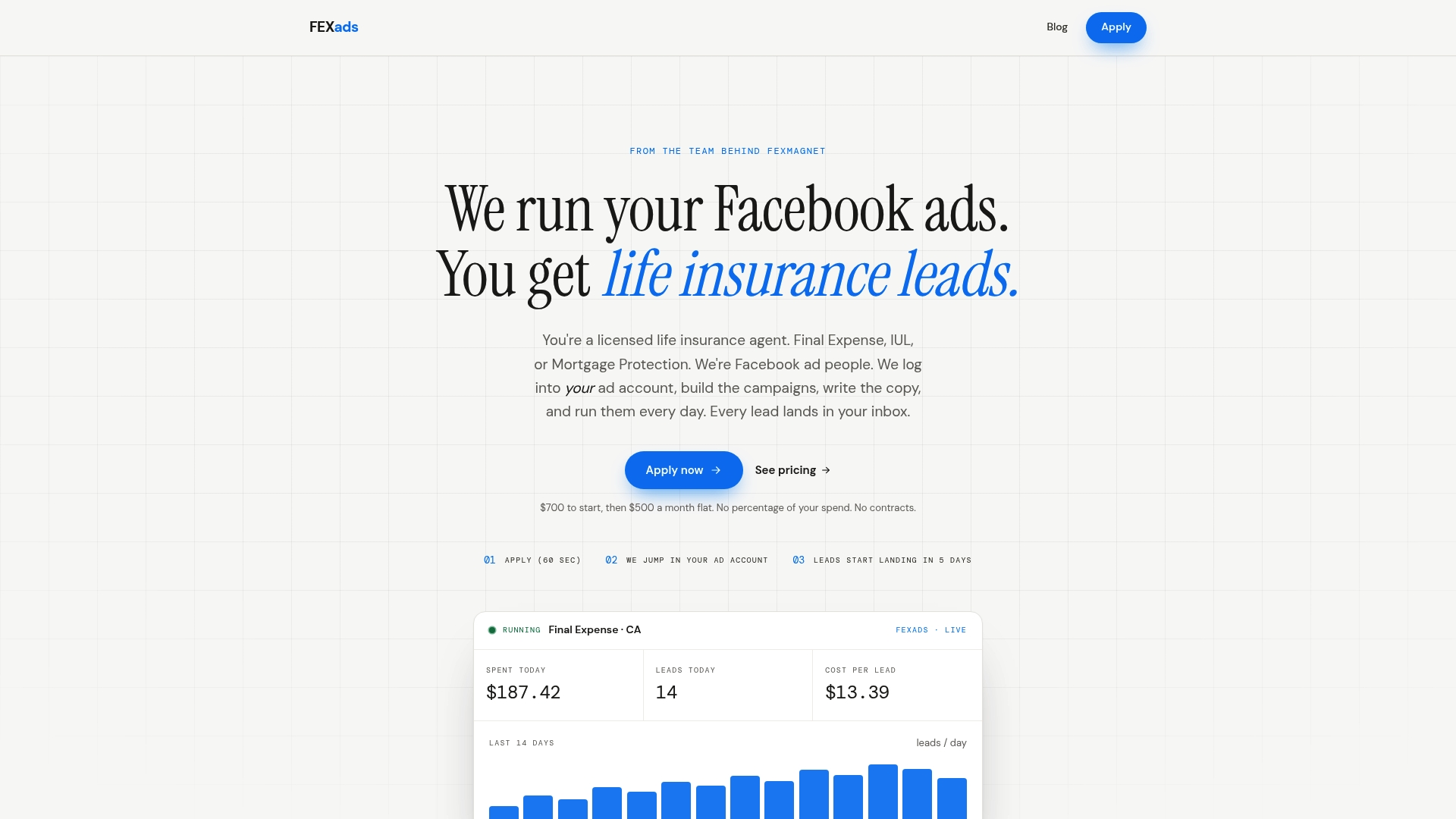
An engagement starts with a one-time setup fee of $700 covering custom campaign build, a purpose-built website, ad account audit, and pixel installation, followed by $500 a month for ongoing management, creative refreshes, compliance checks, and daily optimization. There’s no software rental fee bundled in and no shared leads. Check current pricing and click through to get started on the Fexads payment page, or browse life insurance lead costs by vertical first if you want to see what closes before you commit.
Where to Verify This Yourself
For the official word on account setup, Meta’s Ads Manager help center covers account creation and payment verification directly from the source. For a broader beginner walkthrough, Buffer’s guide to running Facebook ads and Agorapulse’s campaign setup guide both cover the mechanics in more depth. Our own FE Facebook Ads glossary defines the terms you’ll run into along the way.
Sources
- Meta Business (Ads Manager) — login / help
- How to run Facebook ads: 2026 beginner’s guide — Buffer
- Own your ad accounts & first‑party data | The Brand Amp
- How to run Facebook ad campaigns — Agorapulse
FAQ
Is $500 a Month Enough for Facebook Ads?
It depends on what you’re measuring against. As a management fee, $500 a month covers ongoing optimization and creative work, separate from your actual ad spend, which should follow the layered testing, scale, and always-on framework covered above rather than a single fixed number.
Can I Use My Personal Facebook Account to Run Ads?
You can technically get a personal ad account ID just by signing up, but running real campaigns through it mixes your business and personal identity in ways that cause problems later. Setting up a proper Business Manager keeps your ad account, billing, and roles separate from your personal profile from day one.
Do You Need an LLC to Run Ads?
No, Meta doesn’t require a formal business entity to create an ad account or run campaigns. You do need a Facebook Page and a verified payment method, and operating under a legal business name can simplify billing and payment verification if you already have one.
Is $10 a Day Enough for Facebook Ads?
It can work as a testing budget for a single ad set, but it’s usually too thin to gather enough data quickly during Meta’s learning phase. Most advertisers see faster, more reliable signal with $10 to $20 a day per ad set, scaled up once a specific audience or creative shows early promise.
What Does Fexads Charge to Manage My Ad Account?
Fexads charges a one-time $700 setup fee for the custom campaign build, website, and pixel installation, plus $500 a month for ongoing management and optimization. Ad spend itself is billed separately through your own ad account, so you always retain the leads and data it generates.
Recommended
Want us to run your FE ads?
$700 to launch, custom website included. $500 a month flat after that.
Apply now