Strategy
Conversions API for Insurance Agents: Setup and Costs
By Nick Georgalos · 15 min read · Updated 2026-11-09
Conversions API for Insurance Agents: Setup and Costs ! Agent configuring server-side conversion tracking Meta's Conversions API (CAPI) is a server-side connection that sends your conversion events, such as a lead, a booked appointment or a bound policy, from your own systems straight to Meta.

Meta’s Conversions API (CAPI) is a server-side connection that sends your conversion events, such as a lead, a booked appointment or a bound policy, from your own systems straight to Meta. It works alongside the Meta Pixel, not instead of it. For an insurance agent, the payoff is that Meta can learn from what happens after the form fill, not just the form fill itself. The API is free to use. What you pay for is the tool or the time that connects your CRM to Meta.
This guide covers what CAPI does, which events to send, how to set it up and test it, what it costs, and the privacy limits that apply to life insurance leads.
TL;DR
- CAPI sends events from a server or CRM to Meta. The Pixel sends them from the visitor’s browser. Run both.
- Give each event the same name and the same event ID from both routes so Meta counts it once.
- Start with Lead and Purchase, then add Qualified and Appointment Set once the first two are stable.
- The API itself costs nothing. Hosting, gateways or a custom build can add monthly fees.
- Never send diagnoses, medications or health conditions as event data, and disclose the data sharing in your privacy policy.
Table of Contents
- What the Conversions API is, and how it differs from the Pixel
- Why it matters for agents buying their own leads
- Which events to send
- Event matching and deduplication
- How to set up and test CAPI
- What it costs
- Privacy, consent and policy in the U.S.
- Our perspective
- Run your ads in your own account
- FAQ
- Sources
What the Conversions API is, and how it differs from the Pixel
The Meta Pixel is a small piece of JavaScript on your website. It tells Meta when someone arrives, which page they saw and whether they took a flagged action, like submitting a quote form. That is how Meta attributes a lead to an ad and finds more people like the ones who converted.
The problem is that the Pixel lives in the browser. Ad blockers can stop it, and Safari tracking prevention can limit it. Someone can also submit a form and close the tab before the Pixel fires. Each of those is a lead that happened and that Meta never heard about, which makes your reported cost per lead look worse than it is.
CAPI sends the same events from a server or a connected tool instead of the browser, so nothing on the visitor’s device can block it. Meta’s own documentation describes CAPI as a way to connect website, app, business messaging and offline events from your server, website platform or CRM to Meta for ad optimization and measurement.
The key difference for an agent is what each one can see:
| Meta Pixel | Conversions API | |
|---|---|---|
| Where it runs | Visitor’s browser | Your server, CRM or a connected tool |
| Can be blocked by ad blockers or iOS limits | Yes | No, the data does not pass through the browser |
| Sees page views and form submits | Yes | Only if you send them |
| Sees what happens later in your CRM | No | Yes, if you send it |
| Cookies and browser context | Captured automatically | Only what you pass along |
That last row matters. CAPI only knows what you send it. A purchase sent without customer details may count but be hard to tie back to a person. This is why Meta recommends the two together: the Pixel supplies browser context, and CAPI supplies reliability.
Why it matters for agents buying their own leads
A Pixel can see a form fill. It cannot see whether the lead was qualified, showed up for a call or bought a policy. CAPI is how those later signals get back to Meta.
For final expense, mortgage protection and Medicare, the gap between a lead and a sale is where the money is. A cheap lead that never answers the phone is not cheap. If Meta only ever hears “lead,” it will find you more people who fill out forms. If it also hears “appointment set” and “policy issued,” it has a chance to find more people who look like your buyers.
Sending events later is workable. Meta accepts standard events with an event time up to seven days in the past, and offline events within 62 days of the conversion. That covers most final expense sales cycles, where a lead is often worked within days.
Be realistic about what it does. A server-side setup is infrastructure, not magic: the ad network can only optimize toward events you actually send, and the signal has to be clean. CAPI does not make leads better by itself. It gives Meta better information to work with.
If you want to see how this fits the bigger measurement picture, our guide on how to track final expense Facebook ad ROI walks through the numbers that matter. For the iOS side of the problem, see our iOS 14 tracking fix.

Which events to send
Keep the list short. A typical ladder for an insurance agent looks like this:
- Lead: the form was submitted or the lead ad was completed.
- Qualified: you confirmed fit, such as age range, state and interest.
- Quoted or appointment set: the lead booked a call or a presentation.
- Purchase: the policy was bound, with currency and premium value.
That sequence comes from a setup guide written for insurance agents. Start with Lead and Purchase. Add Qualified and Appointment Set once those two are firing cleanly, because every extra event is one more thing to map and test.
For the Purchase event, send the premium as the value and “USD” as the currency. Annual premium is a common choice for a value, but pick one definition and use it every time so your numbers stay comparable.
What to leave out
Meta restricts sensitive data in tracking tools. Send contact details and funnel stage. Do not send medical conditions, medications or diagnoses as event parameters. If your CRM stores health answers from a final expense application, keep those fields out of the mapping to Meta entirely. Our post on Facebook’s personal attributes policy covers the ad copy side of the same issue.
Event matching and deduplication
When you run the Pixel and CAPI together, the same lead arrives twice, once from each route. Meta needs to know it is one lead.
Meta deduplicates on exactly two fields: a shared event ID and an identical event name, matched within a 48-hour window. When both match, Meta keeps one copy. The browser cookies, hashed email and phone are matching parameters, not deduplication keys. They help Meta connect the event to a person, but they do not stop double counting.

A simple rule: generate the event ID once when the form is submitted, and pass that same ID to both the Pixel call and the server call. For a policy sale, the quote or policy number works well as the ID. We cover this in a short weekly task in event_id, Pixel and CAPI for agents.
For matching, send normalized and then hashed email and phone, pass through the fbp cookie and fbc click ID where you have them, and set the action source. The more of these a server event carries, the easier it is for Meta to tie it to an ad click. Some practitioners treat an Event Match Quality score above 70% as the point where attribution becomes dependable. Treat that as a working target, and watch the score in Events Manager.
How to set up and test CAPI
The order below keeps you from sending bad data into your account. It follows the eight-step sequence used in agent-focused guides.
- Confirm the Pixel works. Check that it fires on the thank-you or confirmation step of your form.
- Choose your events. Lead and Purchase first.
- Connect the data source. Map your CRM fields to Meta parameters: email, phone, event name, event time, action source, event ID, value and currency.
- Hash personal data. Normalize emails and phone numbers, then hash them.
- Add the shared event ID to both the browser and server calls.
- Send a test event. Use the Test Events tool in Events Manager with a test event code.
- Check deduplication. Confirm the same lead does not show up twice.
- Go live and monitor. Watch match quality and event volume for the first few weeks.
Choosing a setup method
You have four realistic routes, from least to most work:
- A one-click or partner integration. Meta announced a one-click option on April 15, 2026 described as needing no technical expertise. Check Meta’s current options in Events Manager for what applies to your website platform.
- Your CRM’s built-in Meta connection. Some CRMs send stage changes to Meta for you. This is the easiest way to send Qualified and Purchase events.
- A hosted tagging server or gateway. Good when your site is custom and you want server events without writing code.
- A custom build. This needs engineering for event mapping, identifier handling, consent, deduplication, retries, logging and testing. Most solo agents do not need it.
One caution before you start: if your Pixel and ad account sit inside someone else’s Business Manager, you may not be able to connect anything. Owning the account is step zero. Our guide to Meta Business Manager setup for final expense agents explains how to set that up properly.
What it costs
The API itself is free. Platform or partner integrations may be included in costs you already pay, while gateways and hosted containers can carry monthly fees. Meta’s CAPI Gateway has no per-event fee from Meta, so the only cost is the cloud resources or partner fees for running it.
For a sense of hosted pricing, one tagging-server provider lists $10 a month per pixel on pay-as-you-go, which includes 10 million events a month, and $100 a month for its unlimited plan. A final expense agent will never get near 10 million events, so the lowest tier is the relevant one if you go this route. Check the provider’s page for current rates.
So what does it really cost you? Price the full path from your CRM to Meta, including any monthly tool fee and the hours spent testing. Then compare that to what a cleaner signal is worth when your ad spend runs at $50 a day or more.
And for context on ad costs themselves, final expense leads typically run $9 to $28 each. You can model your own numbers in our Facebook ad CPL calculator.
Privacy, consent and policy in the U.S.
CAPI does not reduce your disclosure duties. It can increase them. With server-side sending, you are actively transmitting email addresses, phone numbers and other data to Meta, even if the visitor has blocked cookies in the browser. Your privacy policy has to say so.
In practice:
- Disclose it. Sending a lead’s hashed contact information to Meta is data sharing. The privacy policy is where you say you use advertising platforms and share hashed contact data for measurement.
- Say how you will contact the person. The consent text next to the form button should state that you will call or text, and how.
- Honor California opt-outs. For California visitors, the CCPA requires a conspicuous opt-out link, and if that link should stop Pixel tracking, your setup has to support it, for example through Meta’s Limited Data Use flag. Confirm the details with a privacy attorney.
- Keep health data out. The U.S. Office for Civil Rights issued a December 2022 bulletin saying regulated entities may not use tracking technologies that lead to impermissible disclosures of protected health information. Healthcare providers have faced a wave of class actions over Pixel use, including an $18.4M settlement. Agents are not hospitals, but the lesson carries: never pass health details to an ad platform. If you handle Medicare or health application data, ask your compliance contact or attorney how these rules apply to you.
Measurement and privacy belong in the same conversation. If you want a broader read on why analytics and marketing ROI go together, that is a good place to start, but the rule for event data stays simple: contact details and funnel stage in, health details out.
Our perspective
We run Facebook ads for final expense, mortgage protection and Medicare agents, and we see the same pattern every month. Agents judge their ads by cost per lead, then wonder why a $12 lead still produces no sale.
Cost per lead is the number the Pixel can see. Cost per sale is the number that pays your bills. Closing the distance between them means getting what happens after the lead back to Meta, and that is exactly what CAPI is for.
Our view is that it only works when you own the pieces. Your ad account, your Pixel, your website and every lead belong to you, so the signal is yours to send and the history stays with you if you ever change who manages your ads. Rented or shared leads cannot do this, because the events live in someone else’s system.
The second piece is visibility. Every client gets the FEXmagnet portal with nightly spend, leads, cost per lead, sales and profit, so you can see whether the numbers Meta reports line up with the sales you actually wrote. If they do not, that is the first thing to fix, long before you change a creative.
And keep your compliance hygiene tight. Every ad we run is checked against Meta’s financial services rules before it goes live, and the same care applies to event data: contact info and funnel stage, never health details.
Nick
Run your ads in your own account
If you want the benefits above without managing the technical side alone, we set up and run Facebook ads for licensed final expense, mortgage protection and Medicare agents inside your own Meta ad account. You keep the account, the Pixel, the website and every lead.
The Standard plan is a $200 setup, then $500 a month starting at your first sale, and includes instant-form ads and a simple website. The Funnel plan is a $1,000 setup, then $750 a month from your first sale, and adds a quiz funnel site where every lead is verified by a text code and landlines are screened out. Ad spend is separate, $50 a day minimum, paid to Meta on your card. We work best with agents selling $5K or more a month in AP.
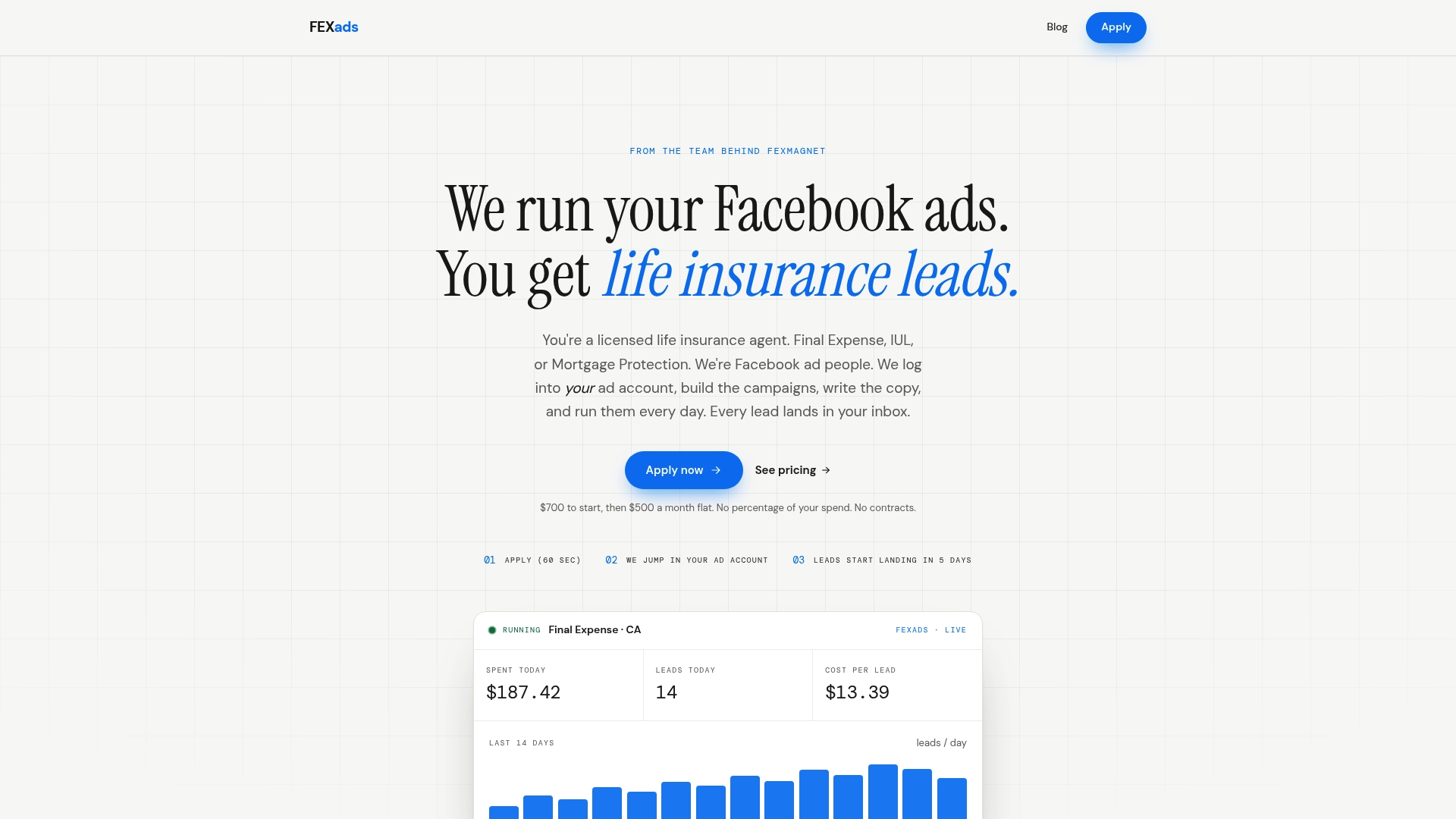
See how it works on fexads.com, or read how Facebook ads for insurance agents work. If you want to understand lead forms first, start with our glossary entry on the Facebook instant form.
FAQ
What is a conversion API?
It is a server-to-server connection that sends conversion events from your systems to an ad platform. Meta’s version, the Conversions API, can carry website, app, messaging and offline events from your server or CRM. It supplements the Pixel rather than replacing it.
Is the Conversions API free?
Yes, the API itself is free, and Meta has described a one-click option with no ongoing maintenance. Costs appear when you add a hosted server, a gateway or a custom build. Price the whole path from your CRM to Meta, including any monthly tool fee.
Is CAPI worth it for a life insurance agent?
It tends to be worth it when you want Meta to see what happens after the form, such as booked calls and sales, and when browser blocking is hiding some of your leads. It will not fix weak offers or poor follow-up. Begin with Lead and Purchase events and add more once those are accurate.
Do I still need the Pixel if I use CAPI?
Yes. Meta recommends running both so that if one route fails, the other still reports the event. Use the same event name and a shared event ID on each so Meta keeps only one copy.
Sources
- Meta Pixel and Conversions API for Insurance Agents (FEXmagnet)
- Conversions API vs Meta pixel: do you need both? (Soran)
- Conversions API documentation (Meta for Developers)
- Facebook Conversion API vs Pixel: What Works in 2026
- Client-Side Pixels vs. Server-Side CAPI Pipelines
- Facebook Conversions API for Insurance Agents: Setup Guide
- Pixel + CAPI Deduplication Explained (AdPlay.ai)
- Why Your Ads Need the Conversions API Now
- Meta Conversions API Setup Cost: A Scope-Based Guide
- CAPI Hosting: Common Errors and Questions (Stape)
- Meta CAPI Gateway vs a Tracking App on Shopify
- Meta Pixel Class Action Lawsuits (client advisory)
- Privacy Policy for Facebook Ads and Meta Pixel (ClearPolicy)
- Why analytics in marketing drives better ROI in 2026
Recommended
Want us to run your FE ads?
Two plans from $300 setup. A flat monthly fee from $700 that starts at your first sale.
Apply now