Strategy
Daily Optimization Checklist for Facebook Ads (Insurance Agents)
By Nick Georgalos · 15 min read · Updated 2026-11-08
Daily Optimization Checklist for Facebook Ads (Insurance Agents) ! Insurance agent reviewing daily ad performance A good daily Facebook ads check for a life insurance agent takes 10 to 15 minutes and answers four questions: Is the money spending at the right pace?

A good daily Facebook ads check for a life insurance agent takes 10 to 15 minutes and answers four questions: Is the money spending at the right pace? Is tracking working? Are leads arriving and getting called fast? Is lead quality holding up? Everything else is a weekly job, and changing ads every day usually hurts more than it helps. This checklist is built for final expense, mortgage protection and Medicare agents running ads in their own Meta ad account.
TL;DR
- Check spend pace, lead flow, tracking and follow-up speed every day. Judge cost per lead and creative on 3-day and 7-day windows, not on one day.
- Look at yesterday’s closed numbers, not today’s partial ones. Today’s figures are incomplete until the day ends.
- Change one thing at a time and leave an ad set alone for several days afterward. Big edits reset Meta’s learning.
- Cost per lead is a starting point. Track contact rate, appointments, applications and issued policies to see what a lead is really worth.
- Confirm every ad still fits Meta’s financial services rules, because insurance ads have to run in a special ad category.
Table of Contents
- Why a short daily routine beats constant tinkering
- The 15-minute daily checklist
- The daily numbers at a glance
- What not to touch on a daily basis
- Judge leads by what they become, not what they cost
- Reading click-through rate without overreacting
- Compliance: the check that protects the account
- A weekly and monthly layer on top
- Our perspective
- Let us run the daily checks for you
- FAQ
- Sources
Why a short daily routine beats constant tinkering
Most agents who burn through ad budget do it in one of two ways. They never look, or they look constantly and change something every time a number turns red. Both lose money.
A daily routine sits between those. You look at a fixed set of numbers in a fixed order, you write them down, and you act only when a number crosses a line you set in advance. That discipline matters more at the budgets most agents run, where a single day can contain only a handful of leads and the swings are mostly noise.
A useful test for every metric on your list: which decision does it feed? If you cannot name one (raise budget, pause an ad, fix tracking, call leads faster), drop it from the daily check. A dashboard that takes ten minutes to read does not get read.
The 15-minute daily checklist
Work through these in order. Open a plain notes file or spreadsheet first and record yesterday’s numbers there, then open Ads Manager. It keeps you from reacting to whatever is red on the screen.
1. Record yesterday, not today (2 minutes)
Set the date range in Ads Manager to yesterday and write down:
- Total spend
- Number of leads (or booked calls, or inbound calls)
- Cost per lead
- Number of appointments set and sales, from your CRM or calendar
- Frequency on each active ad set
Then compare against the trailing 3 and 7 days. One bad day at an $18 cost per lead means little if the 7-day average is $12. Today’s numbers are not final until the day closes, so do not decide anything from them.
2. Check spend pace (1 minute)
Compare actual spend with your daily budget. You are looking for two problems:
- Underspending. If an ad set is delivering far below its budget, something is limiting it: a rejected ad, a payment failure, an audience too narrow, or an ad set still in learning.
- Overspending early. If the whole budget is gone by mid-afternoon, you may be missing the evening hours when many final expense prospects are home and online.
Also check the payment method on the account. A declined card quietly pauses delivery, and you lose a day of leads before you notice. If you run at the $50 per day minimum we recommend for clients, one lost day is two percent of your month.
3. Confirm tracking is firing (2 minutes)
Tracking breaks silently. A site update, a changed form or a browser change can stop your pixel from reporting, and Meta then optimizes on partial information.
- Open Events Manager and confirm your pixel and any server-side events show recent activity.
- Compare the lead count in Ads Manager with the leads that actually reached your CRM, inbox or phone. A large gap means a leak.
- If you use a landing page or quiz funnel, submit one test lead yourself and confirm it arrives as expected.
Meta’s own tools matter here, but so do your records. Store the ad, ad set and campaign each lead came from, plus the date, time and the consent text the person saw. Without that, you cannot tell which ad produced a sale three weeks later.
4. Check lead flow and follow-up speed (3 minutes)
This is the step agents skip, and it is where the most money is lost. A lead you reach in a minute or two is a different asset from one you reach the next morning.
- Did every lead from yesterday get a call attempt?
- How long did the first attempt take after the lead arrived?
- Did unanswered leads get a voicemail and a compliant text or email?
- Was a second attempt made later that day?
We cover the full routine in our speed to lead playbook for final expense Facebook leads. If your cost per lead looks fine but sales are thin, the problem is often here and not in the ads.
5. Scan frequency and creative health (2 minutes)
Frequency is the average number of times one person saw your ad. When it climbs while click-through rate falls and cost per lead rises, the audience is tired of the creative. The frequency definition in our glossary explains how Meta reports it.
Do not rebuild the ad the day frequency ticks up. Note the trend. If it persists over several days, follow the refresh process in our guide to final expense Facebook ad fatigue and creative refreshes, or the faster 7-day recovery plan.
6. Check for rejections and policy flags (1 minute)
Open the account quality and ad status views. A rejected or limited ad is a delivery problem and a compliance warning at once. Fix the copy rather than resubmitting the same ad repeatedly.
7. Decide, or decide to wait (2 minutes)
End every session with one of three written outcomes: no change, one change to make, or an issue to fix (tracking, payment, follow-up). “No change” is the right answer most days. It is a decision, and a good one.
The daily numbers at a glance
| Check | What you are looking at | Act when |
|---|---|---|
| Spend pace | Spend vs. daily budget | Well under budget for a day, or budget gone by mid-afternoon repeatedly |
| Cost per lead | Yesterday vs. 3-day and 7-day averages | The 7-day average moves away from your target, not one day |
| Lead count vs. CRM | Ads Manager leads vs. leads you received | Counts do not match |
| Follow-up | Minutes to first call attempt | Leads wait more than a few minutes |
| Frequency | Trend by ad set | Rising for several days alongside rising cost per lead |
| Ad status | Rejections, limited delivery | Any flag |
Targets depend on your product and market. For context, final expense leads on Facebook typically cost our clients $9 to $28 each, and that range is a reasonable frame for judging your own numbers. Your break-even depends on your commission and close rate: divide what you earn per sale by the number of leads you need to close it.
What not to touch on a daily basis
The fastest way to wreck a campaign that is working is to edit it. Meta’s delivery system learns from the conversions an ad set collects, and significant edits can restart that learning. Cometly’s guide to underperforming Facebook ads lists budget increases above roughly 20 percent, audience changes, optimization event changes and creative swaps among the edits that reset it, and suggests waiting 7 to 14 days before judging results after a structural change.
So, as a working rule:
- Budget. Raise it in steps of 10 to 20 percent, with several days between steps. Never double it overnight.
- Audience. Leave targeting alone unless you have a concrete reason, such as a licensing change.
- Creative. Add new ads alongside old ones rather than swapping in the middle of a good run.
- Structure. Fewer ad sets with more results each tend to learn faster than many thin ones. If ten ad sets each collect a handful of leads a week, none of them gathers enough data.
Change one thing at a time. If you change the audience, the creative and the budget on the same day, you will never know which one moved the results.
Judge leads by what they become, not what they cost
Cost per lead is the number everyone watches because it is the easiest to see. It is also the easiest to misread. A $25 lead who answers the phone and books an appointment is worth more than an $8 lead with a dead number.
Build a simple path you update weekly, with the daily check only reading the first two steps:
- Lead received
- Contact made
- Appointment set
- Appointment held
- Application submitted
- Policy issued and placed
From those, work out cost per contact, cost per appointment and cost per issued policy. Underwriting can take days or weeks, so judge an ad on a full cycle, and count issued policies instead of applications. Our guides on prioritizing cost per qualified lead and speed and the five final expense ad metrics that matter go deeper on this.
Two features of a funnel help you read quality faster. A verification step, such as a text code sent to the lead’s phone, removes mistyped and fake numbers before they reach you. Screening out landlines saves calls that cannot be texted. Our lead form versus landing page comparison explains the tradeoff in volume and quality.
Reading click-through rate without overreacting
People often ask whether a 2% click-through rate is good. AdManage.ai’s CTR benchmark roundup cites a cohort with a 1.71% median for traffic campaigns and 2.59% for lead campaigns, and advises checking whether you are looking at all clicks, link clicks or outbound clicks before comparing. That distinction changes the number a lot.

For an agent, CTR is a diagnostic and not a goal. A high CTR with weak leads usually means the ad is attracting curiosity rather than intent. A low CTR with good leads can still be profitable. Look at CTR next to cost per lead and contact rate. If clicks are healthy but few people finish the form, the problem sits after the ad, and funnel analytics ideas like these can help you see where people drop off. For the page itself, these conversion rate optimization tips cover the basics of friction and message match.
Compliance: the check that protects the account
Insurance ads on Meta fall under financial products and services rules. Meta’s financial and insurance products policy says ads for insurance services must be targeted to people 18 or older, must not directly request personally identifiable or certain financial information, and that advertisers may have to verify their identity and show they are authorized by the relevant regulator.
In practice, review each new ad against this list before it runs, and again when you see a rejection:
- The campaign is declared under the financial products and services special ad category.
- Copy does not promise approval, guarantee acceptance or quote rates you cannot honor.
- Copy does not imply a government program.
- Copy does not call out personal attributes or health situations.
- The ad makes clear that it is promoting insurance, and shows your agency name and the states where you are licensed.
The special category limits targeting options, so your lever is creative and geography. A repeated policy violation can put the whole ad account at risk, which is why we check every ad against Meta’s financial services rules before it runs. State insurance advertising rules also apply, so check with your upline, carrier or compliance contact for yours.
A weekly and monthly layer on top
The daily check is the smallest part of the routine. Add these on a schedule:
Weekly (30 minutes)
- Compare 7-day cost per lead, contact rate and appointment rate by ad.
- Pause clear losers only after they have had a fair run and enough spend.
- Add one new creative variation.
- Review the sales and policy outcomes of leads from two to four weeks ago.
Monthly (1 hour)
- Work out cost per issued policy and return on ad spend.
- Decide whether to scale spend, in small steps.
- Review which products (final expense, mortgage protection, Medicare) deliver the best return. Our IUL ads guide covers a product with a longer sales cycle.
- Audit follow-up: response time, number of attempts, and CRM hygiene.
Our perspective
Most agents come to us after buying rented leads that were shared, stale or both. The shift to your own ad account fixes ownership, but it brings a new risk: you can now watch numbers all day and make things worse.
What we see work is a calm routine. Look at yesterday’s closed numbers. Check that tracking and follow-up are alive. Leave a working ad set alone. The money is made in the phone call and the appointment far more than in the ad settings, so we pay as much attention to how fast a lead is reached as to what it cost.
That is also why our fee only starts after your first sale, and why every client gets nightly spend, leads, cost per lead, sales and profit in the FEXmagnet portal. You should be able to read the health of your campaign in a minute, and you can text me when something looks off.
Nick
Let us run the daily checks for you
If you would rather sell than stare at Ads Manager, we set up and run Facebook ads for licensed final expense, mortgage protection and Medicare agents inside your own Meta ad account. You keep the ad account, pixel, website and every lead, and leads reach you by text, email or CRM within seconds.
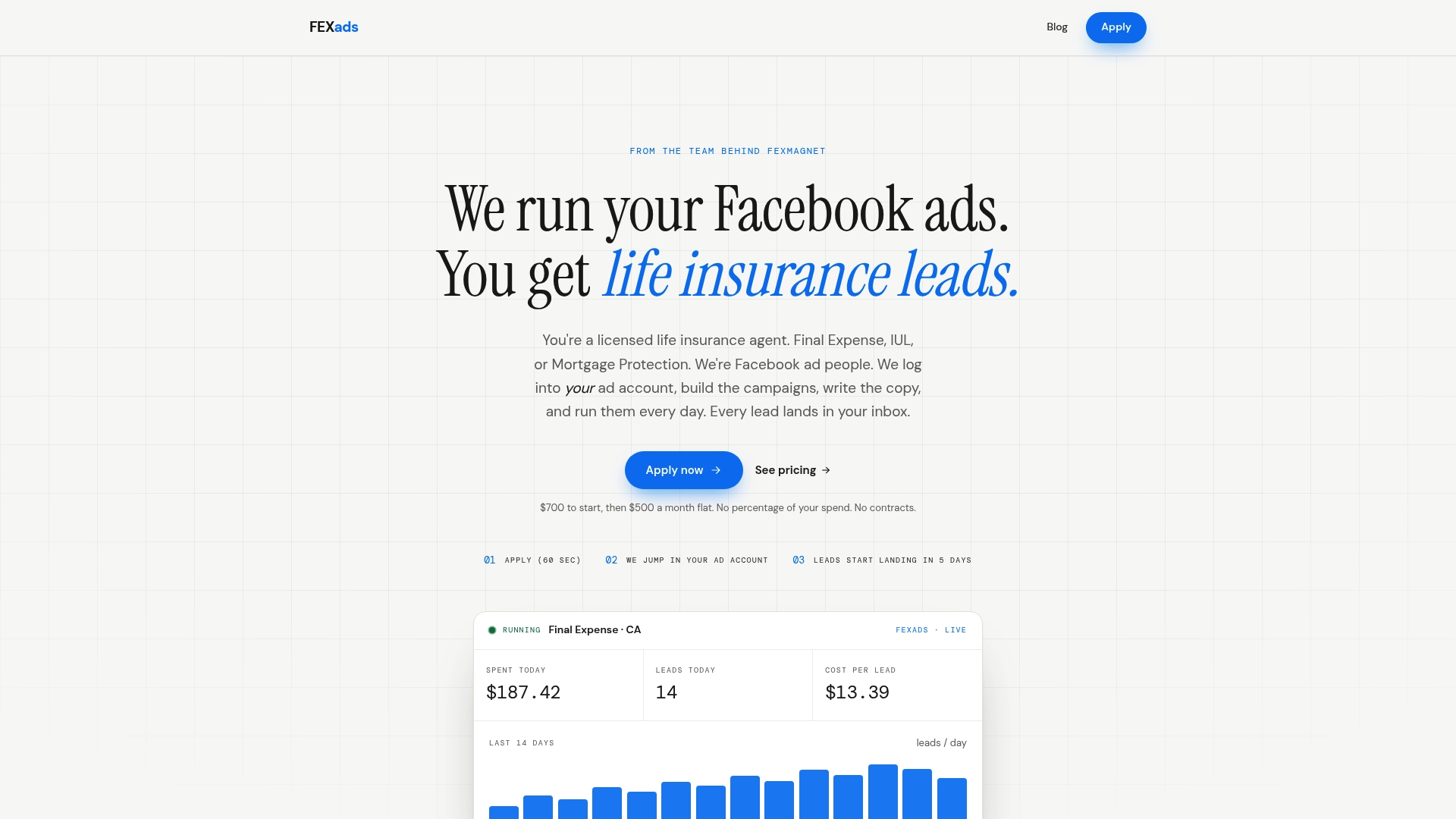
There are two plans. Standard is a $200 setup, then $500 per month starting at your first sale, and includes instant-form ads and a simple website. Funnel is a $1,000 setup, then $750 per month from your first sale, and adds a quiz funnel site where every lead is verified by a text code and landlines are screened out. Ad spend is separate, with a $50 per day minimum paid to Meta on your card. Our best fit is agents selling $5K or more a month in AP. See how it works on our Facebook ads for insurance agents page, or start at FexAds.
FAQ
How long should a daily Facebook ads check take?
About 10 to 15 minutes once the routine is set. Record yesterday’s numbers, check spend pace, tracking, follow-up speed and ad status, then write down one decision. Longer sessions usually lead to unnecessary edits.
How long should I wait before changing an ad set?
Give a new or edited ad set several days before judging it, and 7 to 14 days after a structural change such as a new audience or optimization event. Cometly’s guidance on this is in the section above. Meanwhile, keep fixing tracking, payment and follow-up problems, because those do not need a waiting period.
Is a cost per lead of $8 always better than $25?
No. The cheaper lead only wins if it can be reached and qualifies at a similar rate. Compare cost per contact, per appointment and per issued policy over a full underwriting cycle. Final expense leads typically cost our clients $9 to $28, so judge your figure against your own close rate and commission.
Can I raise my budget as soon as leads come in?
Raise it gradually. Steps of 10 to 20 percent with several days between each let you see whether results hold. Large jumps can push an ad set back into learning and make costs spike.
Sources
- Cometly: Facebook Ads Not Optimizing Properly
- AdManage.ai: What Is a Good CTR?
- Meta Transparency Center: Financial and Insurance Products and Services
- Campaign Funnel Analytics: A Practical Guide for Marketers
Recommended
Want us to run your FE ads?
Two plans from $300 setup. A flat monthly fee from $700 that starts at your first sale.
Apply now