Strategy
State Targeting for Life Insurance Ads: An Agent's Guide
By Nick Georgalos · 16 min read · Updated 2026-10-30
State Targeting for Life Insurance Ads: An Agent's Guide ! Agent checks licensed states against a U.

If you sell life insurance, the first targeting decision is not age or interest. It is geography: run ads only where you are licensed, split spend so each state is judged on its own numbers, and write ads that stay inside each state’s advertising rules. This guide covers how to set that up on Meta, what the platform and regulators expect, and how to measure spend state by state.
TL;DR
- Target only states where you hold a license. Meta may review licensing, and the NAIC model rule bars ads that imply you are licensed beyond your jurisdictions.
- Meta location targeting works by state, county, city, radius or market area, not by ZIP code. Check the options in Ads Manager at setup.
- Keep the audience broad inside each state. Meta’s policies bar ads that assert or imply personal traits such as health or finances, so let the offer, not the targeting, do the filtering.
- Give each state its own campaign or ad set so you can compare cost per lead and cost per sale cleanly.
- Final expense leads typically cost $9 to $28 each. Judge a state on cost per sale, not cost per lead alone.
Table of Contents
- Why state targeting is a licensing question first
- The location options Meta gives you
- Choosing which states to start with
- What Meta’s policies mean for audience choices
- State advertising rules to check before you publish
- Build the ad, form and follow-up around the state
- Measuring and optimizing spend across states
- Common state targeting mistakes
- Our perspective on state targeting
- Want us to run the states for you?
- FAQ
- Sources
Why state targeting is a licensing question first
A life insurance agent can only sell where they are licensed. An ad that reaches a resident of a state where you hold no license produces, at best, a lead you cannot work. At worst it creates a compliance problem.
Meta treats this seriously. Its financial and insurance policy says advertisers may be required to be licensed in the country they target, and Meta may review licensing or confirm authorization. The same policy requires insurance ads to target people 18 or older.
State regulators care too. The NAIC’s Advertisements of Life Insurance and Annuities Model Regulation (Model 570) makes insurers and producers responsible for their ads. It requires them to be truthful, not misleading and clear, and it prohibits implying that you are licensed beyond the jurisdictions where you actually are.
So the working rule is simple. Build a list of your active resident and non-resident licenses, and treat that list as the outer boundary of every campaign. Appointments matter as well: if a carrier you rely on is not appointed for you in a state, that state is a poor place to spend.
The location options Meta gives you
In Ads Manager, the location field at the ad set level is where state targeting happens. Industry guidance on Meta’s recent changes describes the practical menu this way: you cannot target by ZIP code, but you can target by county or state, by city, address or pin drop with a minimum 15-mile radius, or by designated market area. Meta changes these controls from time to time, so confirm what your account shows when you build the campaign.
Here is how agents typically use each level:
| Targeting level | Best use | Watch out for |
|---|---|---|
| Whole state | Single-state licensed agents, or a state with strong results you want to scale | Large states mix very different markets, so cost per lead can swing widely |
| County | Carving out a metro or excluding counties you cannot service | Small counties can limit delivery and slow learning |
| City or radius | Appointment-driven or in-person sales | A radius can spill across a state line into a state where you are not licensed |
| Designated market area | Following media markets that cross county lines | Same spillover risk across borders |
The spillover point matters most for agents near a border. A radius around a city like Kansas City or Philadelphia can reach residents of a neighboring state. If you are licensed in only one side, use state or county targeting instead, and exclude the other state explicitly.
Use one state per ad set
Putting several states in one ad set is faster to build and worse to learn from. Meta will spend where it finds the cheapest results, which may be one state, and you will not know whether the others work. Give each state its own ad set, or its own campaign if budgets differ, and name them consistently, for example “FE | TX | Broad | Video A”. Your reports then read like a scoreboard.

Choosing which states to start with
You do not have to run everywhere you are licensed. Start with two or three states and expand on evidence. Good first candidates share a few traits:
- You hold a resident license, or a non-resident license with carrier appointments already active.
- Your carriers have competitive products and fast underwriting for the product you sell there.
- The state has a large population of the age group your product serves.
- You can follow up in the hours that fit the state’s time zone.
For a state-by-state view of where final expense advertising tends to perform, see our best states for final expense Facebook ads and the FE Facebook Ads by State pages. Treat those as a starting shortlist and not a guarantee. Your own account data will outrank any ranking after a few weeks of spend.
If you sell mortgage protection, the logic shifts toward housing markets and new homeowner activity. Our mortgage protection Facebook ads playbook covers that product separately.
What Meta’s policies mean for audience choices
State targeting is geography, and geography is safe. The trouble starts when agents try to narrow the audience further by guessing at someone’s health or finances.
Meta’s personal attributes policy prohibits ads that assert or imply attributes such as a person’s medical conditions or financial status. In practice that rules out copy like “Are you struggling with diabetes and can’t get coverage?” or “Behind on your bills? Get life insurance.” The policy’s own guidance points toward focusing the ad on the benefits of the product rather than assumptions about the person seeing it.
The financial services policy adds that insurance ads must not directly request personally identifiable or certain financial information. That affects instant forms and quiz funnels: collect what you need to call someone back, such as name, phone and state, and leave health and income questions for the phone call.
The practical approach to audiences, which a lead-generation guide from an insurance technology company also describes, is to select your location, keep the audience broad enough to avoid discriminatory impact, test creative and audiences, and allow at least two weeks for delivery optimization. For a deeper explanation of how platforms sort audiences and where the policy lines fall, see how audience targeting works. For final expense specifically, our guide to final expense Facebook ad audience targeting shows which settings we keep broad and which we test.

State advertising rules to check before you publish
Meta approves or rejects an ad by its own policy. Your state insurance department judges it by insurance law. Passing the first does not mean passing the second.
Start with these checks:
- Truthful, clear and complete. Model 570 holds insurers and producers responsible for all advertisements, which must be truthful, not misleading and clear. Each state adopts its own version, so read your state’s current rule.
- Identify who is advertising. Some states require producer information in ads, which may include full legal names, addresses and license numbers. If you run ads in several states, build your disclosure line to meet the strictest one you target, or maintain state-specific versions.
- No implied government endorsement. Meta’s policy says ads should not imply licensing beyond the licensed jurisdictions or government endorsement. Avoid seals, flags or language that suggest a federal program.
- Handle “no medical exam” carefully. If issuance is not guaranteed, Meta’s policy expects wording like “no medical examination required” to be paired with an equally prominent, adjacent disclosure that issuance may depend on answers to health questions. Read the full wording on Meta’s policy page.
- Illustrations. If you share a policy illustration, use only a full copy generated by the insurer’s illustration tool, never partial pages.
- Make disclosures hard to miss. In an FTC order, “clear and conspicuous” is defined as difficult to miss and easily understandable, and in interactive media it must be unavoidable and not contradicted by the rest of the communication. That is a useful standard for any disclosure on your ad, form or landing page, even though that order binds only its parties.
One point of confusion: you may assume the FTC polices insurance advertising. Under the McCarran-Ferguson Act, the business of insurance is exempt from FTC jurisdiction to the extent it is regulated by state law. In other words, your state insurance department is the main authority over your ads. Regulators also tend to act on what they hear: they frequently monitor consumer complaints, and violations can lead to cease-and-desist orders, fines or license suspension.
This is general information, not legal advice. For a specific ad, ask your carrier’s compliance desk or your state insurance department, and have your upline or IMO approve copy if they require it.
If you want copy that starts from a compliant baseline, see our ready-to-paste life insurance ad copy and the life insurance ad creatives we use.
Build the ad, form and follow-up around the state
State targeting does not end at the ad set. The rest of the path should confirm that the person is where you can serve them.
- Say the state in the ad when it helps. A line such as “For Ohio residents” lets people outside your area scroll past, which protects your budget. Keep it factual and not tied to personal attributes.
- Collect the state on the form. On an instant form, ask for ZIP code or state so you can catch leads who were reached through travel, a VPN or a border spillover.
- Verify the lead. A text-code step on a quiz funnel confirms the phone number is real and can screen out landlines you cannot text. Our write-up on cutting Facebook insurance CPL with screening explains the approach.
- Call fast. Speed to contact is the biggest lever you control after the click. Route leads to your phone by text, email or CRM so you see them within seconds.
- Keep the lead. Ads run in your own ad account, so the lead is yours alone. That is the opposite of rented leads sold to several agents.
For the broader mechanics, see how Facebook ads for insurance agents work and our guide to Facebook life insurance leads.
Measuring and optimizing spend across states
This is where most agents guess. Compare states on the numbers that decide whether you make money, in this order:
- Cost per lead (CPL). The cost per lead is spend divided by leads. For final expense, our clients typically pay $9 to $28 per lead.
- Contact rate. What share of leads you actually reach and talk to.
- Appointment or application rate. How many conversations become applications.
- Cost per sale and profit per sale. Spend divided by issued policies, then compared with the commission you earn.
Here is a simple illustration with made-up round numbers, to show the method and not to predict your results. Say you spend $1,500 in each of two states over a month.
| State A | State B | |
|---|---|---|
| Spend | $1,500 | $1,500 |
| Leads | 120 | 75 |
| CPL | $12.50 | $20.00 |
| Sales | 4 | 6 |
| Cost per sale | $375 | $250 |
State A looks cheaper on CPL. State B is cheaper where it counts, cost per sale, perhaps because leads there answer the phone more often or your carriers close more cases. If you only watched CPL, you would move budget to the wrong state. You can run your own numbers in our life insurance Facebook ad CPL calculator.
A routine that works
- Give it time. Let each state run at least two weeks before judging, in line with the delivery-optimization window mentioned above. Check frequency weekly: when the same people see your ad many times, results usually soften and it is time to refresh creative.
- Mind the attribution window. Meta credits conversions inside a set attribution window, so a sale closed weeks after the lead may not show in Meta. Track sales in your CRM or portal against the lead date instead.
- Move budget gradually. Shift spend toward the winning state in modest steps, not overnight, so the ad set does not reset its learning.
- Cap the weak states, do not delete them. Reduce spend, test new creative once, and cut only if the numbers stay poor.
- Use retargeting where it fits. Retargeting people who opened your form but did not submit can lift results, provided the copy still avoids personal-attribute claims.
- Watch the daily floor. With a $50/day minimum in our programs, splitting across many states can starve each one. Two or three states at a time is usually enough to learn from.
For a longer walk through the first weeks of a campaign, our 50 conversions playbook lays out what to expect.
Common state targeting mistakes
- Targeting states where you are not licensed. It wastes money and can cross compliance lines, as described above.
- Letting a radius cross a state border. Use state or county targeting and exclude neighboring states when you hold no license there.
- Narrowing by assumed health or money problems. Meta’s policy against asserting personal attributes covers copy and targeting logic alike.
- One ad set for everything. You cannot optimize what you cannot see separately.
- Judging on CPL alone. Cost per sale is the number that pays you.
- Skipping state disclosure rules. Meta approving an ad says nothing about your state department’s view of it.
- Changing everything weekly. Edits restart learning. Change one thing at a time and give it time.
Our perspective on state targeting
We set up and run Facebook ads for licensed final expense, mortgage protection and Medicare agents, always inside the agent’s own Meta ad account. That setup shapes how we think about states.
Because the agent owns the account, pixel, website and every lead, a state test is never wasted: the data stays with you, whichever way it points. We would rather start an agent in two licensed states with clean naming and honest reporting than in ten states with a blur of numbers. Every ad is checked against Meta’s financial services rules before it runs, and we ask agents to confirm their state disclosure requirements with their carrier or upline, since that call belongs to the licensed producer.
We also push back on the urge to over-target. Broad inside a licensed state, a clear offer, a verified lead and a fast call beat clever audience stacks. The agents who do best treat ad spend as a number to compare against commissions, and the nightly figures in the FEXmagnet portal (spend, leads, cost per lead, sales and profit) exist for exactly that. You can text me directly if a state looks off.
— Nick
Want us to run the states for you?
Our Standard plan is a $200 setup, then $500 a month starting at your first sale, and includes instant-form ads and a simple website. The Funnel plan is a $1,000 setup, then $750 a month from your first sale, and adds a quiz funnel where every lead is verified by a text code and landlines are screened out. Ad spend is separate, $50/day minimum, paid to Meta on your card. It fits best for agents selling $5K or more a month in AP.
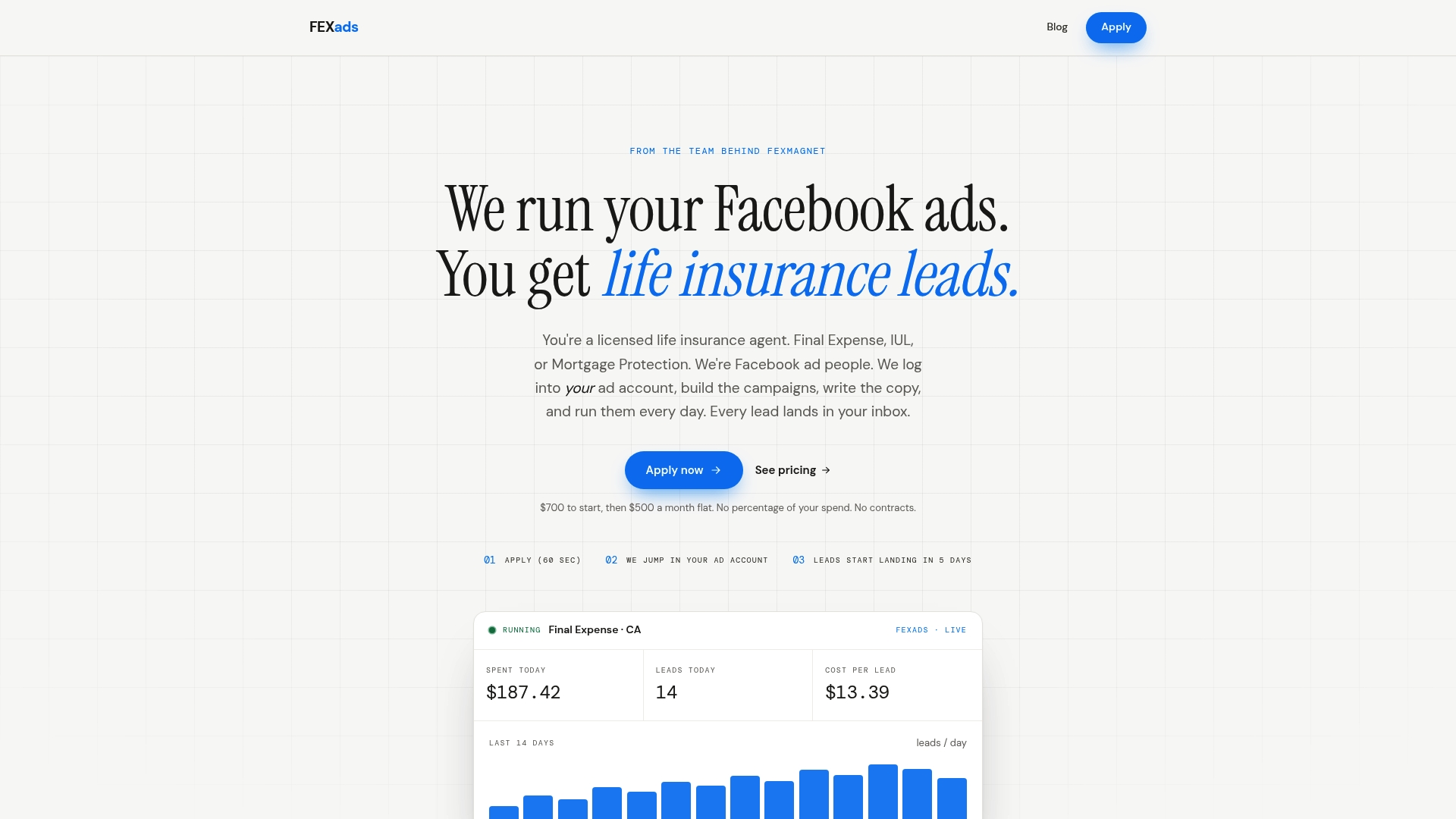
See how it works on fexads.com, or compare options in our guide to Facebook ad agencies for insurance agents.
FAQ
Can I target life insurance ads by ZIP code on Facebook?
No. Current guidance says Meta does not allow ZIP code targeting for these ads. You can target by state, county, city or radius, or by designated market area. Check the location field in Ads Manager, since Meta adjusts these controls.
Do I need to be licensed in a state to advertise there?
Yes, in practice. Meta’s policy says advertisers may be required to be licensed where they target and that it may review licensing. Model 570 also prohibits implying you are licensed beyond your licensed jurisdictions. Limit campaigns to states where you hold an active license.
How many states should I run at once?
Two or three is a sound start. Each state needs enough daily budget and enough time, at least two weeks, to produce readable results. Add states once one is clearly profitable on cost per sale.
Can I target people by health condition or income?
Not by asserting or implying those traits in your ads. Meta’s personal attributes policy prohibits ads that assert or imply things like medical conditions or financial status. Keep the audience broad within the state and let the offer attract the right people.
Which agency or government body regulates my ad content?
Your state insurance department is the main authority. Under McCarran-Ferguson, the business of insurance is exempt from FTC jurisdiction where state law regulates it. Meta’s rules apply separately to the platform.
Sources
- Financial and Insurance Products and Services, Meta Transparency Center
- Financial and Insurance Products and Services, Meta (policy detail)
- Privacy Violations and Personal Attributes, Meta Transparency Center
- NAIC Advertisements of Life Insurance and Annuities Model Regulation (Model 570)
- FTC Advisory Opinion 03-1 on McCarran-Ferguson
- FTC Stipulated Order defining clear and conspicuous
- Life Annuity Advertising Handbook (2025)
- Meta advertising and marketing changes guide (April 2025)
- 5 Steps to Setting Up a Facebook Lead Generation Campaign
Recommended
Want us to run your FE ads?
Two plans from $200 setup. A flat monthly fee from $500 that starts at your first sale.
Apply now